Skip to content
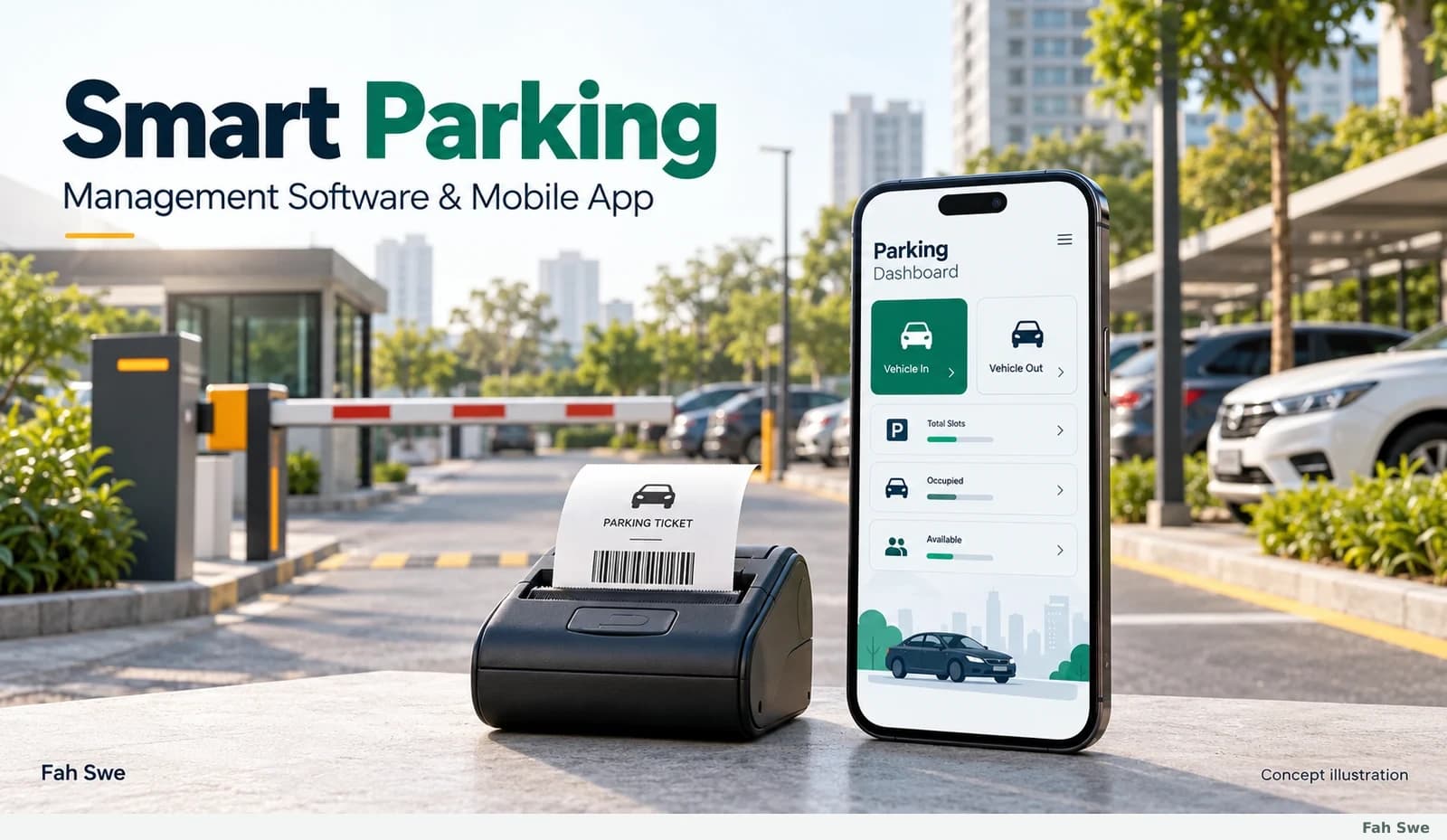
Fah Swe concept illustration: Complete parking management system. Sample interface, not a delivered-software screenshot.

DIGITAL PRODUCT · DEVELOPMENT ORDER

Smart Parking Management Software & Mobile App

Business Software

Review product scopePrefilled development requestClient portal

Price

$300

USD · one-time full payment

Manage vehicle entry, plate review, parking tokens, compatible thermal printing, active stays, fee collection and reports with a mobile parking workflow from Fah Swe. Worldwide price: $300 USD. Order through the existing system; Fah Swe coordinates setup and delivery. Desktop software and API integration are optional custom work.

Description

Smart Parking Management Software & Mobile App

Fah Swe offers a mobile parking software order for businesses that need a clear vehicle entry-to-exit process. The documented workflow is based on the supplied mobile demonstration. It brings plate capture with operator confirmation, vehicle registration, token handling, compatible ticket printing, active records, fee review, payment recording and reports into one operational sequence.

Who the product is for

Parking operators, market and commercial-property managers, hospital parking teams, building operators and managed event-parking teams can discuss whether this workflow suits their site. Suitability depends on the actual vehicle categories, tariff rules, staffing and equipment; no existing customer deployment or business result is implied by these examples.

Mobile workflow covered by the order

  • Dashboard shortcuts for vehicle categories and recorded activity.
  • Camera-assisted plate capture, manual checking and retake/correction.
  • Entry registration, duplicate-active-vehicle warning and token creation.
  • Digital tokens and printing with an agreed compatible Bluetooth thermal printer.
  • Active parking records and retrieval of the correct stay for exit.
  • Stay/fee review, an applicable lost-token charge option and collection recording.
  • Cash and Online (QR) method choices as demonstrated; automated gateway verification is separate.
  • Period reports with vehicle and attendant breakdowns, plus an internal plate watchlist.

The illustrated guide below explains each feature in its operational context, with steps, benefits and requirements. All generated images are clearly labelled concept illustrations. They are not screenshots of already delivered software, and all interface values are examples. Final layout, device support, tariffs and site configuration are confirmed with Fah Swe for delivery.

Price, ordering and coordinated delivery

The worldwide base price is $300 USD, paid once through Fah Swe’s existing digital-product ordering system. The portal’s existing currency selection and exchange-rate display remain in use. There is no invented compare-at price or discount. Confirm your site requirements before ordering.

This listing uses the existing manual project-delivery option. After the order’s payment is verified, the existing client workflow creates an In Progress project. Fah Swe coordinates requirements, progress, review and final handover there. The public page does not provide an instant download, a demo credential or a software package link. A delivery schedule and the exact supplied build, setup responsibilities and usage terms are agreed with the team.

Optional computer software and API work

Desktop management software and mobile-to-desktop API integration are not included in the $300 mobile product. They require a separate written scope and quotation. Discuss the office interface, shared records, authentication, hosting, synchronization, failure handling and acceptance tests before commissioning optional development. The laptop in the reference video does not prove that a desktop parking application is included.

Equipment and practical requirements

Confirm a supported Android device, camera behavior, required permissions, compatible printer model and thermal-paper size. Test your plate formats and tariffs before live use. Hardware, physical barriers, CCTV, automatic gate control, payment-gateway services, hosting and app-store publishing are not automatically included. No universal OCR accuracy, iOS compatibility, offline capability or multi-site synchronization is claimed from the video.

Support and renewal

Six months of included support under the existing Fah Swe support policy. Confirm the actual start and expiry in Dashboard → Support Plans. Coverage concerns the agreed delivered scope, bug-report review and reproducible errors. When included and paid coverage expire, renew a support plan to continue technical support. New features, redesign, hardware, hosting and third-party fees are separate unless agreed.

Read the support policy, terms and privacy notice. Ask about source-code rights, redistribution, site/device scope and any third-party requirements before ordering; no unlimited resale or lifetime-update entitlement is claimed.

Product guide and official contact

Read the complete parking software guide and explore Fah Swe products. Fah Swe is a Bangladesh software company serving Bangladesh and worldwide. For this product, contact Fah Swe or use the official WhatsApp +880 1348-245747 .

What your purchase includes

  • Mobile parking software order covering the documented entry-to-exit workflow
  • Plate review, token handling and compatible ticket-printing workflow
  • Active records, fees, collection reports and internal watchlist
  • Progress and coordinated manual delivery through the existing client project
  • Six months of included support under the existing policy; exact dates in your account
INSIDE THE SOFTWARE

Software screenshots & workflow guide

Open any image to inspect the full screen. Each step explains its use and business benefit.

01

Complete parking management system

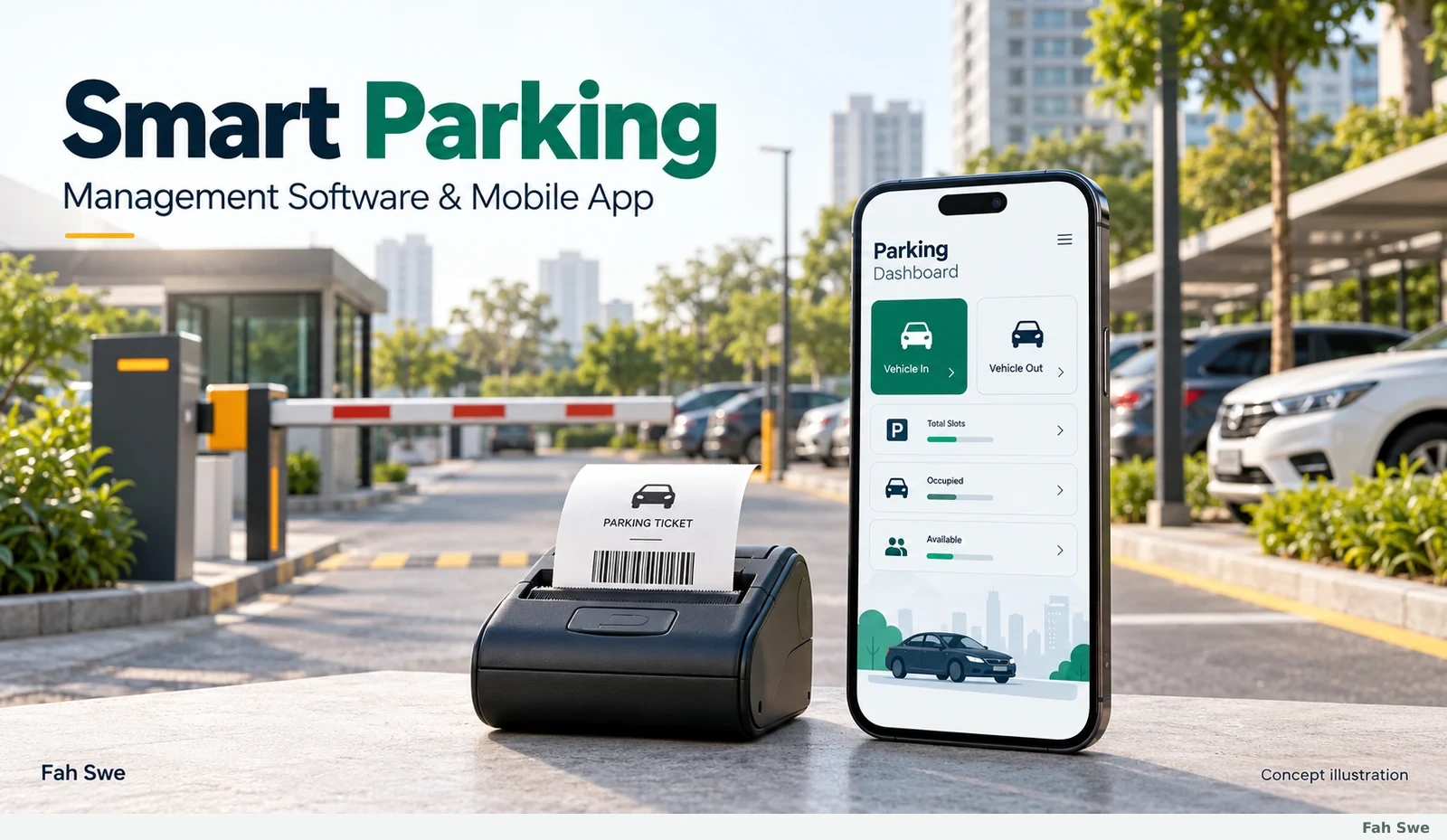
Fah Swe concept illustration: Complete parking management system. Sample interface, not a delivered-software screenshot.

The cover brings together a mobile workspace, a parking entrance and a compact ticket printer. It introduces the operational chain shown in the supplied demonstration: identify a vehicle, register its arrival, issue a token, retain the active stay, collect the parking fee and close the exit record. The artwork is an original concept illustration; a barrier in the scene does not mean automatic gate control is included.

How to use this screen

  1. Begin by agreeing vehicle categories, tariffs and the site’s collection procedure. Staff then use the same vehicle/token reference throughout entry, payment and exit. Review the day’s records rather than relying only on handwritten totals.
  2. Requirements: Confirm the supported Android device, site setup and printer model with Fah Swe. Physical barriers, cameras, printers and other equipment are separate unless expressly included in the order scope.

Business benefit

A connected operational record helps attendants and managers trace a parking stay from arrival to departure and explain how its collection was recorded.

02

Mobile application dashboard

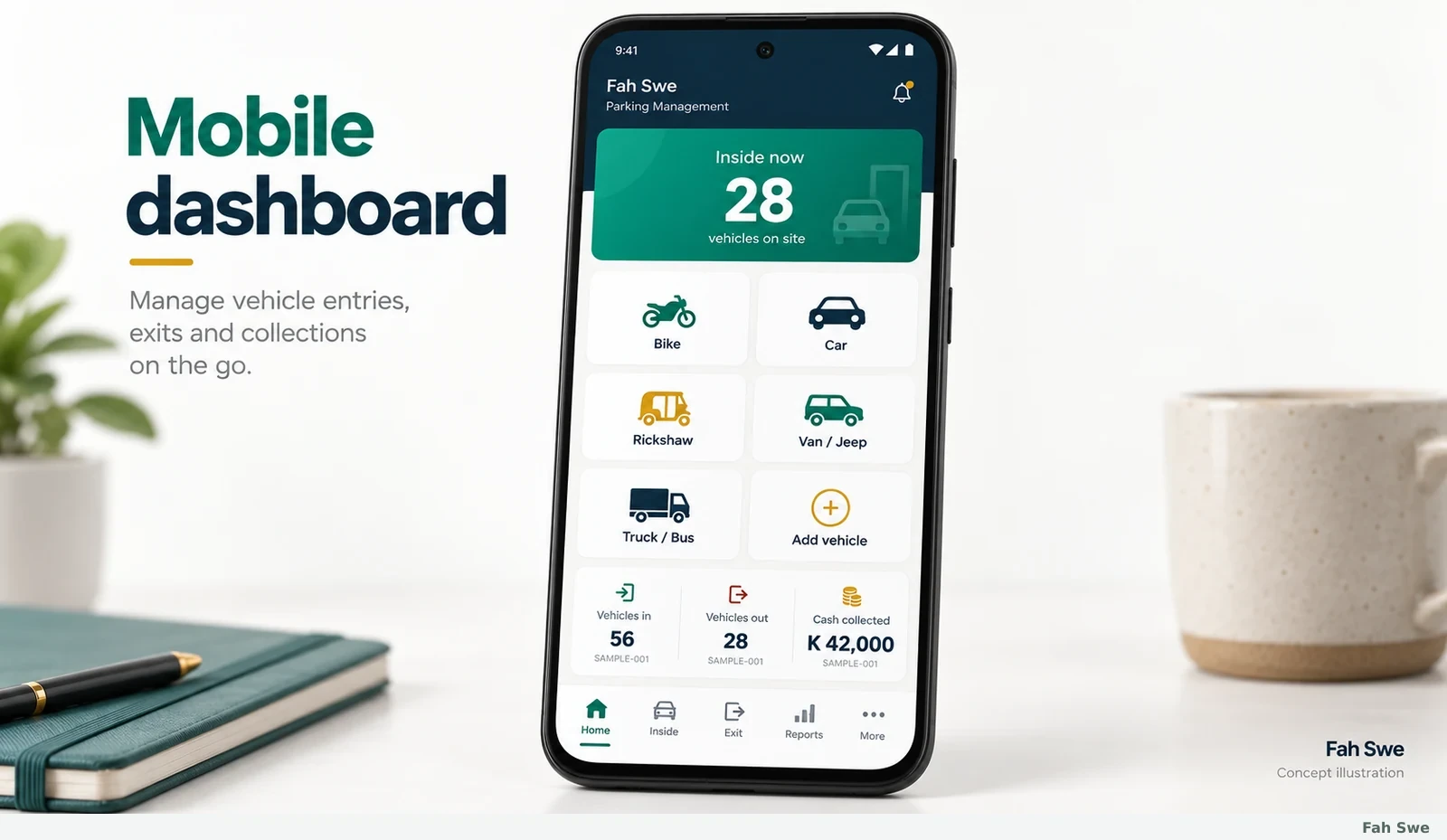
Fah Swe concept illustration: Mobile application dashboard. Sample interface, not a delivered-software screenshot.

The dashboard illustration shows vehicle-category shortcuts and a prominent count of vehicles currently inside. In the video, the home screen includes Bike, Car, Rickshaw, Van / Jeep and Truck / Bus categories, an Add vehicle action, and navigation for Home, Inside, Exit, Reports and More. These are operational records, not evidence of sensors measuring each parking bay.

How to use this screen

  1. Choose the vehicle category to start entry, open Inside to find an existing stay, or use Reports to inspect recorded activity. Check the summary against completed operations during the shift.
  2. Requirements: The final layout and supported vehicle configuration must be confirmed at delivery. Keep the device charged and verify its camera, storage and any required connection before starting a shift.

Business benefit

Clear shortcuts reduce navigation at a busy entry point and give staff a shared view of the records they need most often.

03

Vehicle number plate scanning and confirmation

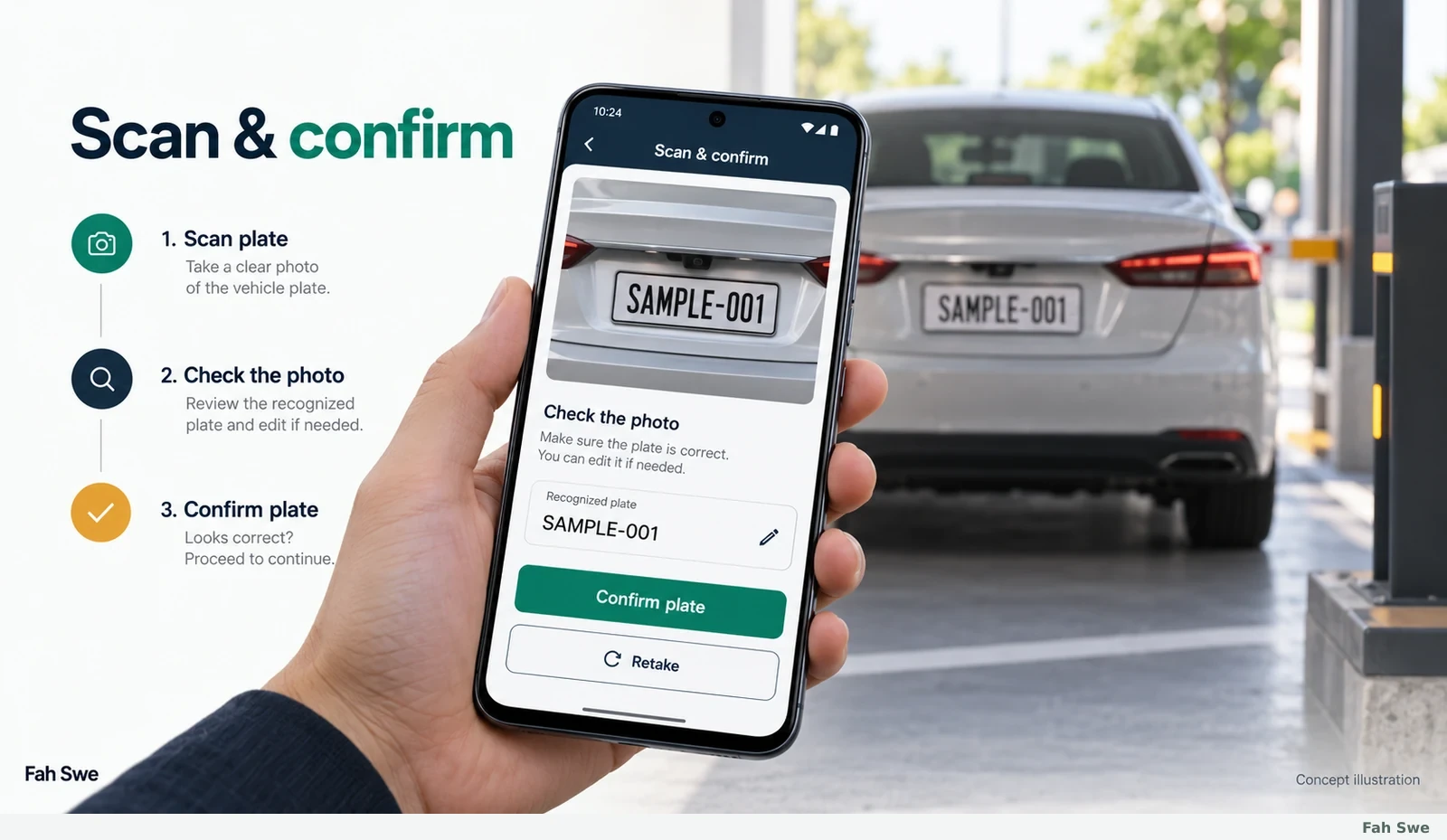
Fah Swe concept illustration: Vehicle number plate scanning and confirmation. Sample interface, not a delivered-software screenshot.

The image illustrates camera capture followed by recognition review. The demonstration shows a plate photograph, a recognized number, a retake option and a prompt asking the attendant to compare unclear characters with the photo. This is an assisted entry process: the operator remains responsible for checking the vehicle identifier before accepting it.

How to use this screen

  1. Frame the plate clearly, capture it, compare letters and digits with the vehicle, and correct or retake uncertain results. Confirm the number only after that review; then continue to the entry form.
  2. Requirements: Camera permission, readable plates and adequate light are required. Bangladesh/Bangla plate formats, supported scripts, device compatibility and recognition behavior must be tested for the intended site; no universal accuracy or fully automatic ANPR guarantee is made.

Business benefit

Assisted capture can reduce repetitive typing while a visible review step helps prevent an incorrect plate from following the vehicle through later records.

04

Vehicle entry registration

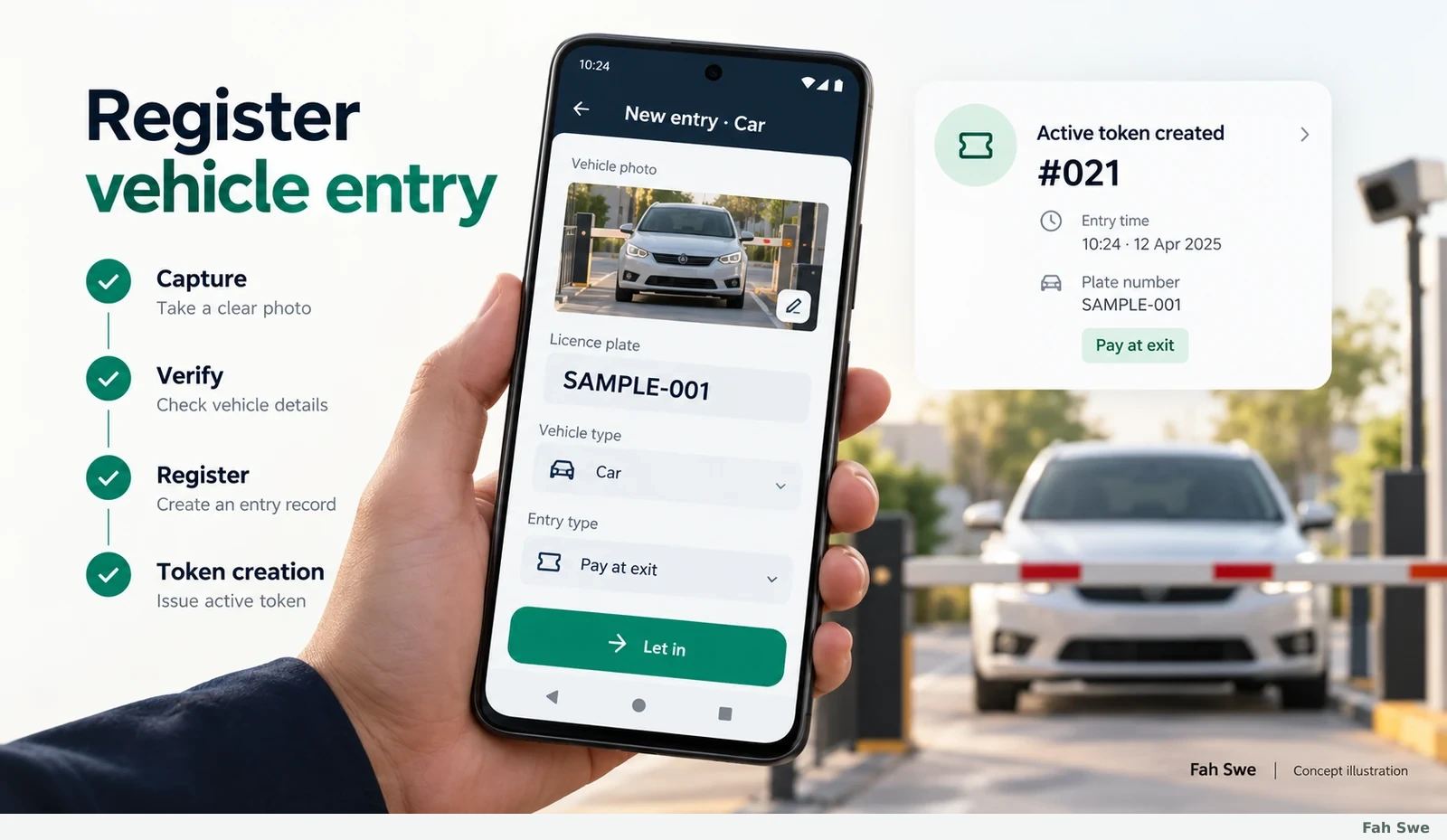
Fah Swe concept illustration: Vehicle entry registration. Sample interface, not a delivered-software screenshot.

The entry illustration combines a vehicle category, captured plate and a Let in action. The video shows a new Car entry with a plate photo and a Pay at exit indication, followed by creation of a token. The important record is the accepted arrival, not merely taking a photograph.

How to use this screen

  1. Select the appropriate vehicle type, verify the plate and any displayed collection setting, then confirm Let in. Check that the token and entry time have been created before allowing the next entry to replace the current screen.
  2. Requirements: Use a correctly set device clock and agreed entry procedure. Confirm whether the delivered setup needs connectivity for the site’s workflow; offline operation and multi-device synchronization are not inferred from this video.

Business benefit

Consistent registration makes the later stay duration, duplicate check and collection record refer to the same arrival.

05

Duplicate vehicle entry warning

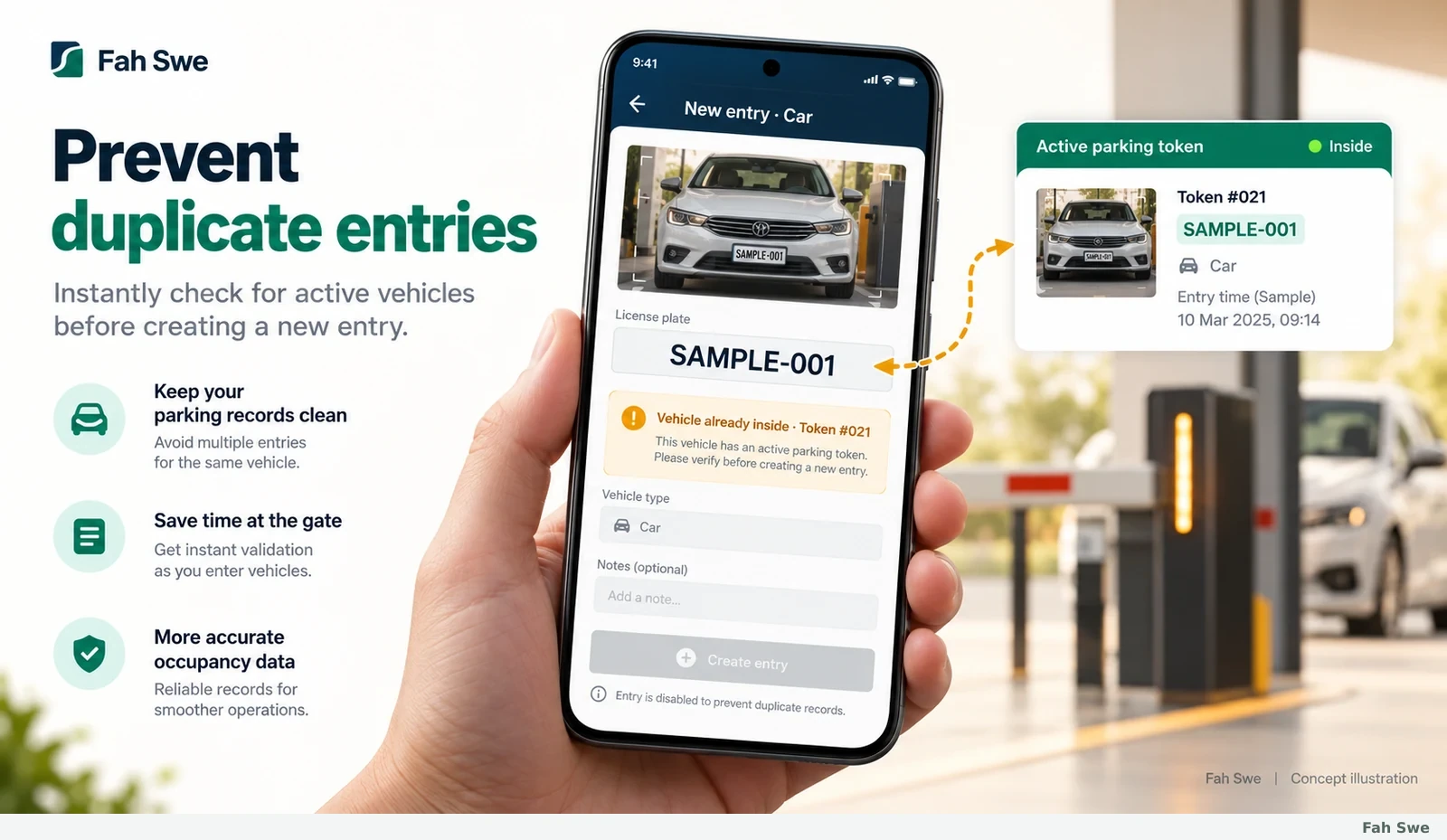
Fah Swe concept illustration: Duplicate vehicle entry warning. Sample interface, not a delivered-software screenshot.

The warning image shows a plate that already has an active token. The demonstration explicitly reports that the vehicle is already inside and identifies its existing token. This check is useful when the same plate is captured again before the original stay has been closed.

How to use this screen

  1. Read the warning, open or locate the existing token and compare its vehicle details with the plate in front of you. Resolve an incorrectly entered number or an unfinished earlier exit before attempting another arrival.
  2. Requirements: The comparison depends on correct plate entry and the active-record state. Similar or misread characters still need human review; the video does not establish cross-site duplicate detection or a global vehicle database.

Business benefit

Detecting an already-open stay helps avoid duplicate tokens and conflicting entry/exit or collection records.

06

Digital parking token

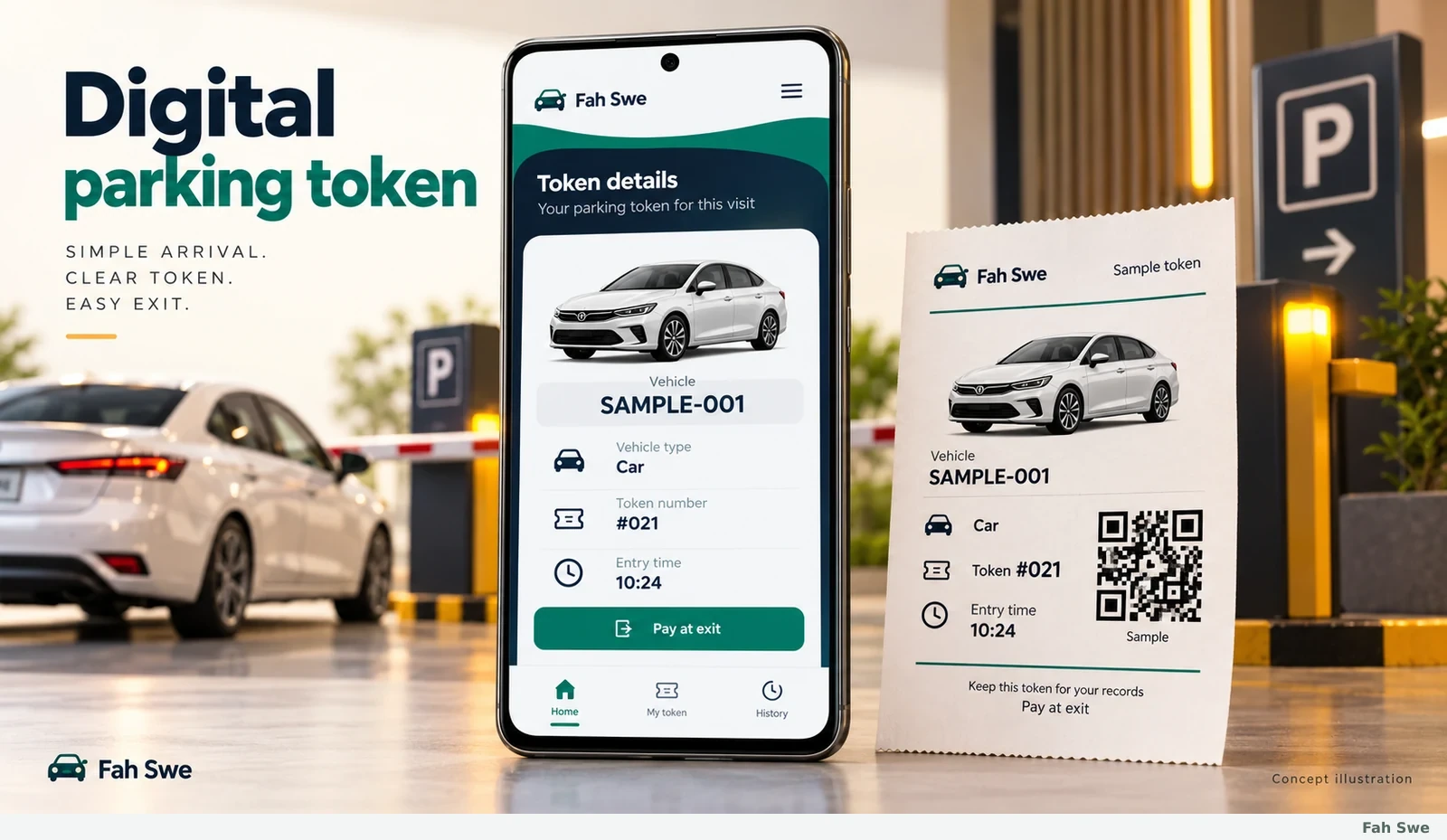
Fah Swe concept illustration: Digital parking token. Sample interface, not a delivered-software screenshot.

The token illustration connects a sample vehicle plate, vehicle type, entry time and token number. In the video, the token detail is used again when the vehicle leaves, and a printed token includes a machine-readable code. A token is an operational reference for a parking stay, not proof that money has already been received.

How to use this screen

  1. After accepting entry, check that the token matches the vehicle. Give the customer the appropriate token or printed ticket according to the site procedure. At exit, match that reference to its still-active record.
  2. Requirements: Sample QR artwork is illustrative and is not a working payment code. Agree the delivered token format, printer layout and lost-ticket procedure before site use.

Business benefit

A stable reference makes it easier to retrieve the correct stay and explain its arrival and collection details.

07

Bluetooth thermal ticket printing

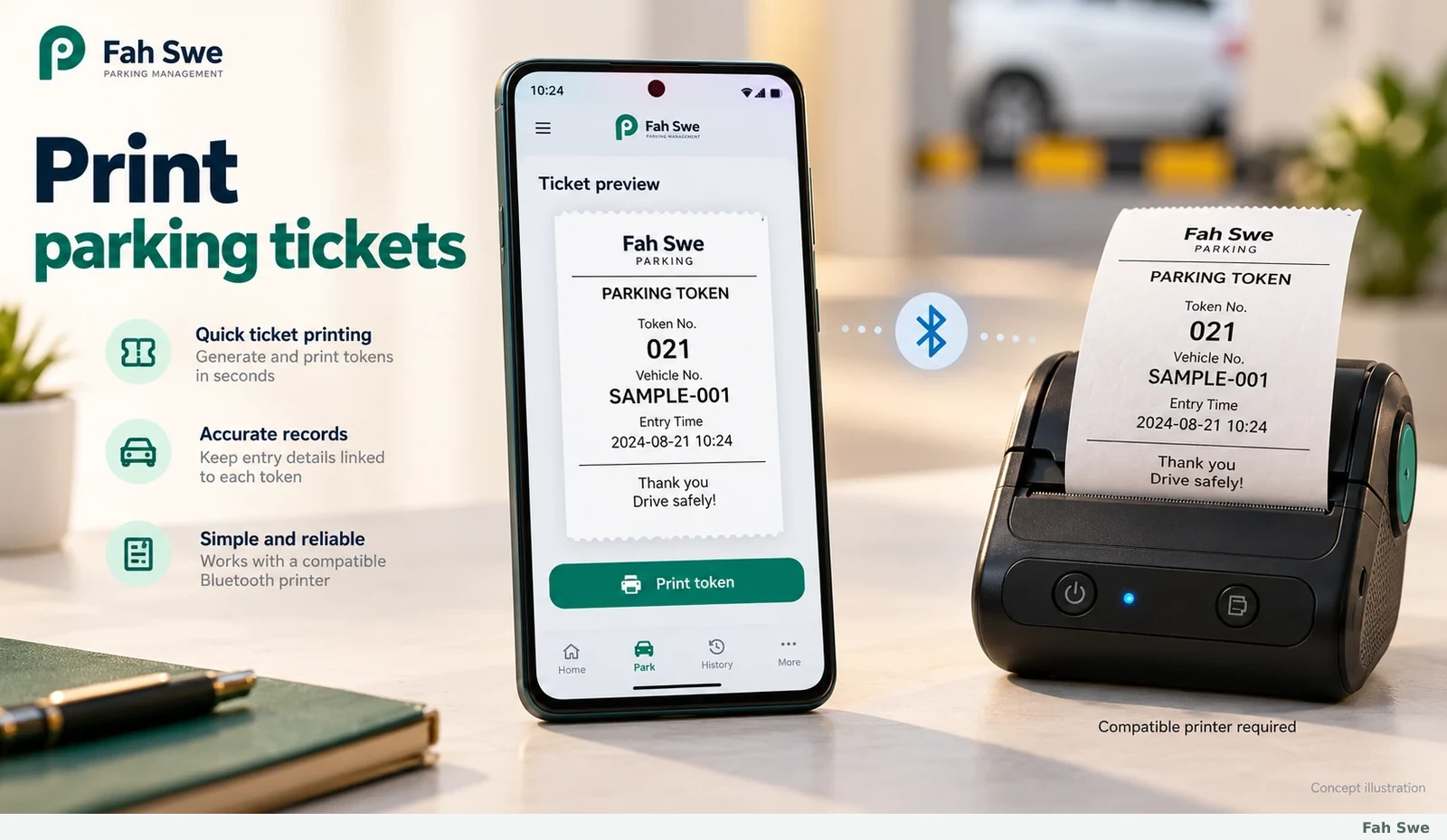
Fah Swe concept illustration: Bluetooth thermal ticket printing. Sample interface, not a delivered-software screenshot.

The image shows a phone sending a token to a compact thermal printer. The reference demonstration visibly prints a parking slip with a code and vehicle information. It demonstrates a particular working combination, not compatibility with every printer sold as Bluetooth or a promise that hardware is supplied.

How to use this screen

  1. Pair a supported printer, load the correct thermal paper, select the token print action and inspect a test ticket. Check that plate, token and code remain readable before using the printer for a busy shift.
  2. Requirements: Confirm the exact printer model, Bluetooth protocol, paper width, Android permissions and supported character set with Fah Swe. Printer, paper and power are separate equipment requirements unless the quotation explicitly includes them.

Business benefit

A printed reference gives the customer a physical token and helps attendants retrieve the corresponding stay at exit.

08

Active parking records

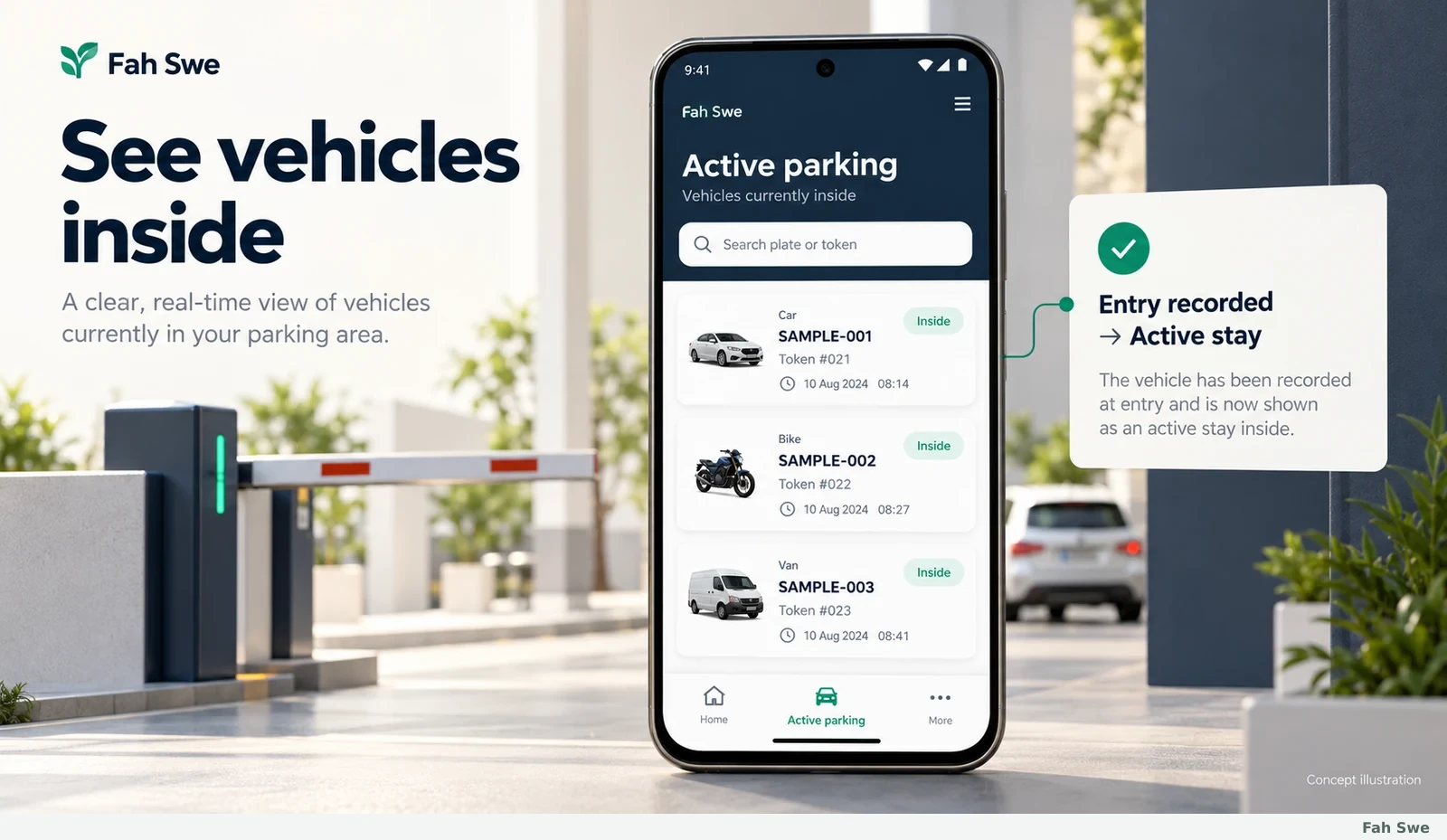
Fah Swe concept illustration: Active parking records. Sample interface, not a delivered-software screenshot.

The active-record illustration groups vehicles whose stays have not yet been closed. The video opens an Inside list and shows plate-based records for vehicles currently on site. This is a view of registered active stays; it should not be presented as a live GPS map or automatic physical-space detection.

How to use this screen

  1. Open Inside, locate the vehicle record and compare plate, category and entry information. Use the matching token when proceeding to exit; investigate a missing or conflicting record before collecting against another vehicle.
  2. Requirements: Record accuracy depends on completing entry and exit correctly. Search/filter behavior, retention and any multi-device access should be agreed for the delivered setup rather than assumed from the illustration.

Business benefit

An organized active list supports shift handover and helps staff find the correct stay without searching through a paper register.

09

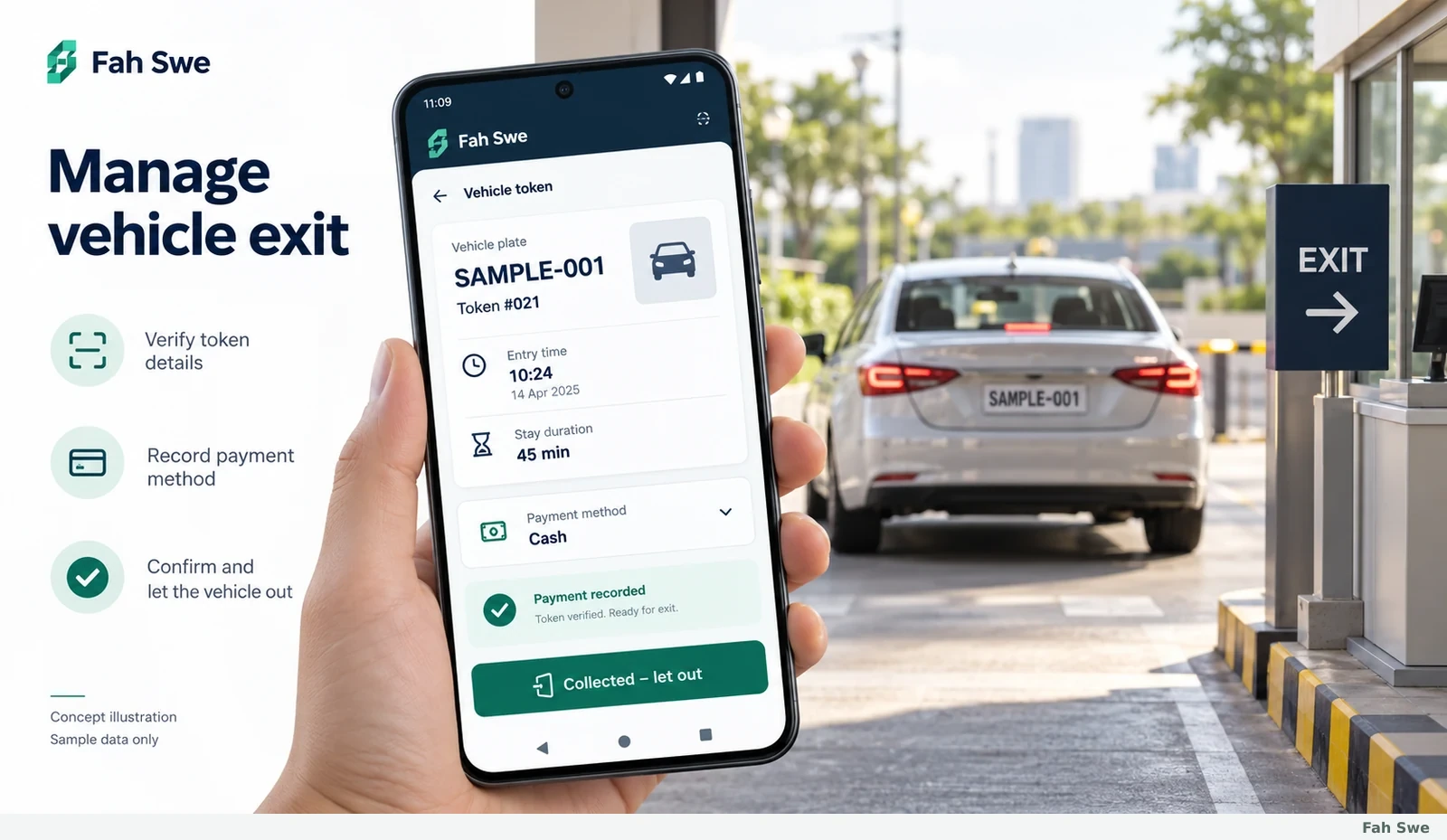
Vehicle exit management

Fah Swe concept illustration: Vehicle exit management. Sample interface, not a delivered-software screenshot.

The exit illustration opens the existing token, reviews the stay and proceeds to Collected – let out. The demonstration shows the plate, entry time, duration, attendant information, fee and payment choices before completion. It also exposes token printing and cancellation actions, which should follow the site’s staff procedure.

How to use this screen

  1. Match the arriving exit customer to the active token, review the fee, record the collection method and confirm the final exit only after the collection is checked. Verify that the stay is no longer counted as inside.
  2. Requirements: Train staff on lost tokens, cancellations and payment checks. The pictured vehicle barrier is contextual; direct barrier, sensor or CCTV integration is optional development only if separately scoped.

Business benefit

Closing the right record keeps active counts and collection history aligned and reduces the chance of leaving old stays open.

10

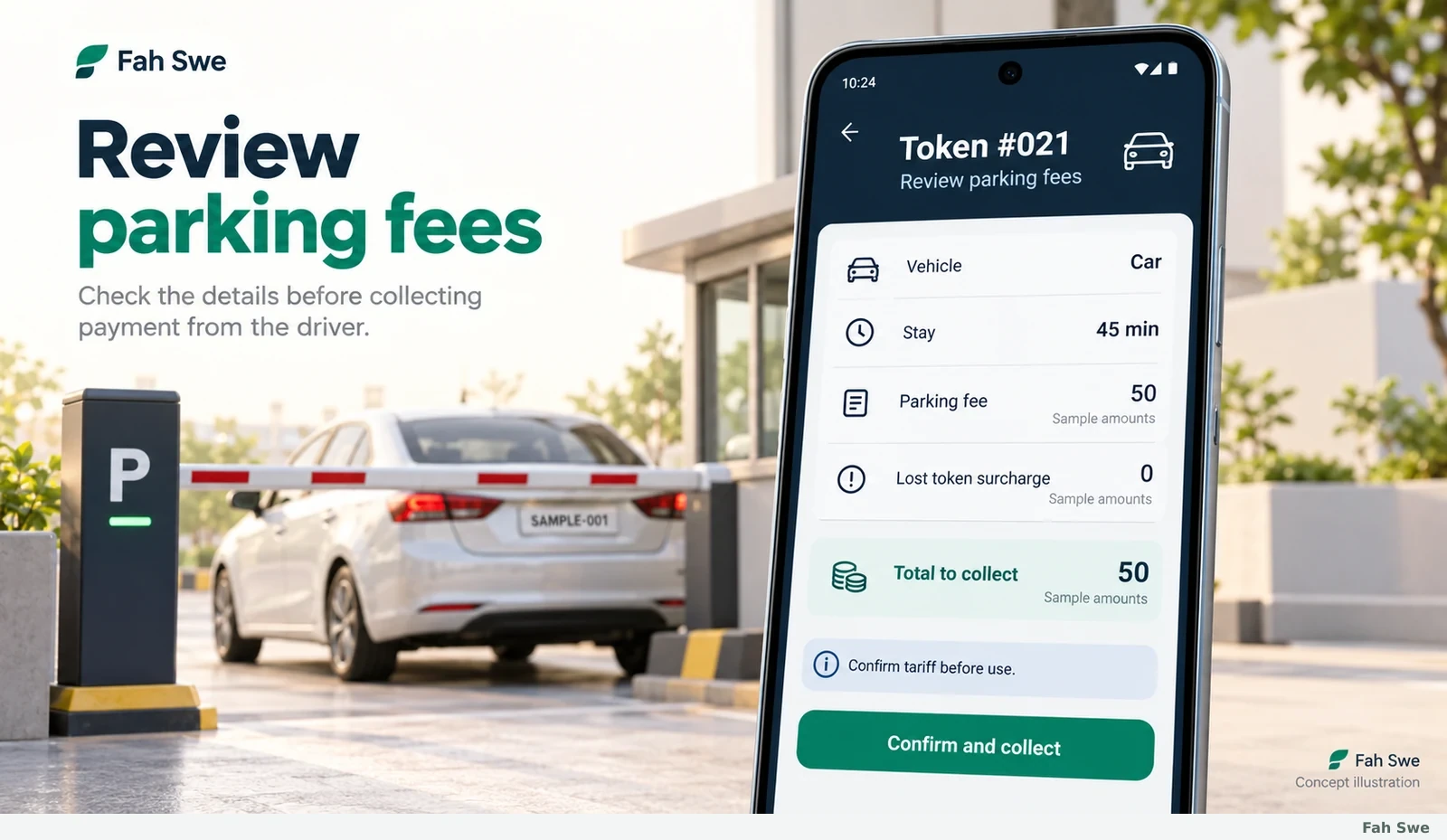
Parking fee calculation and review

Fah Swe concept illustration: Parking fee calculation and review. Sample interface, not a delivered-software screenshot.

The fee image separates a sample parking charge, an optional lost-token charge and the amount to collect. In the video, a token shows stay duration, a fee and a lost-token surcharge toggle. The video does not establish a universal hourly formula, a national tariff or which charge rules will fit every parking business.

How to use this screen

  1. Confirm the vehicle category and duration, inspect the configured charge and apply the lost-token option only where justified by the agreed policy. Compare the final amount with that policy before collecting.
  2. Requirements: Agree tariffs, rounding, currency, lost-token rules and boundary cases before handover. Test short stays and relevant time boundaries. The numbers in generated images are examples, not product pricing or a prescribed site fee.

Business benefit

A visible breakdown helps attendants explain charges and makes it easier for managers to spot incorrect tariff settings.

11

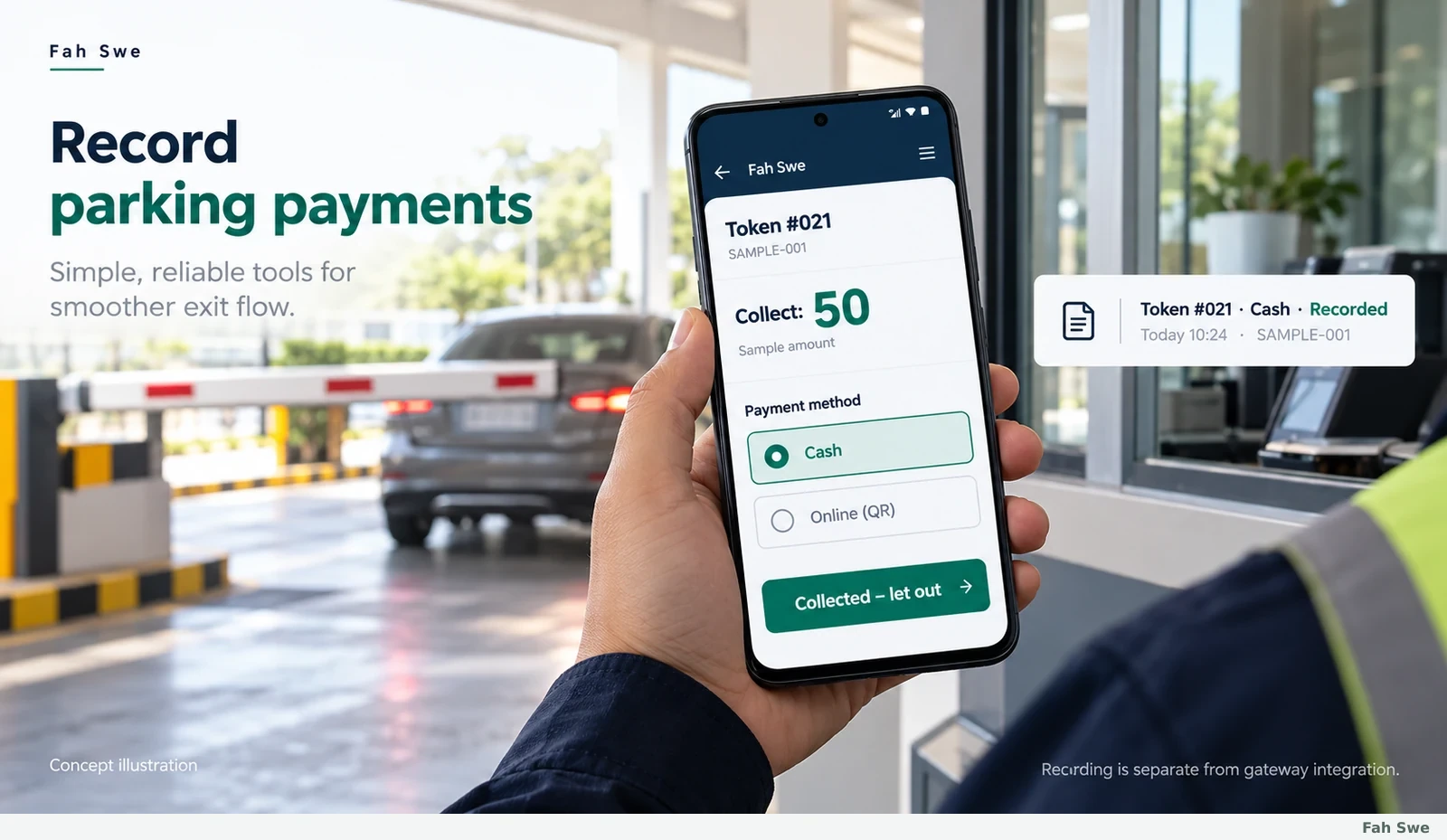
Payment recording

Fah Swe concept illustration: Payment recording. Sample interface, not a delivered-software screenshot.

The collection illustration shows Cash and Online (QR) choices against a token. Those choices are visible in the video, followed by a collection/exit confirmation. Recording a payment method inside parking software is different from connecting a payment gateway or independently confirming a bank settlement.

How to use this screen

  1. Inspect the amount due, verify cash or the external payment evidence under the site’s rules, choose the correct method and record the collection. Reconcile the shift’s cash and external receipts with the software’s recorded totals.
  2. Requirements: Merchant accounts, QR payment credentials, gateway contracts and automated settlement callbacks are not claimed as included. Ask Fah Swe for a separately scoped integration if automated verification is required.

Business benefit

Method-specific records give staff and managers a clearer collection trail and support end-of-day reconciliation.

12

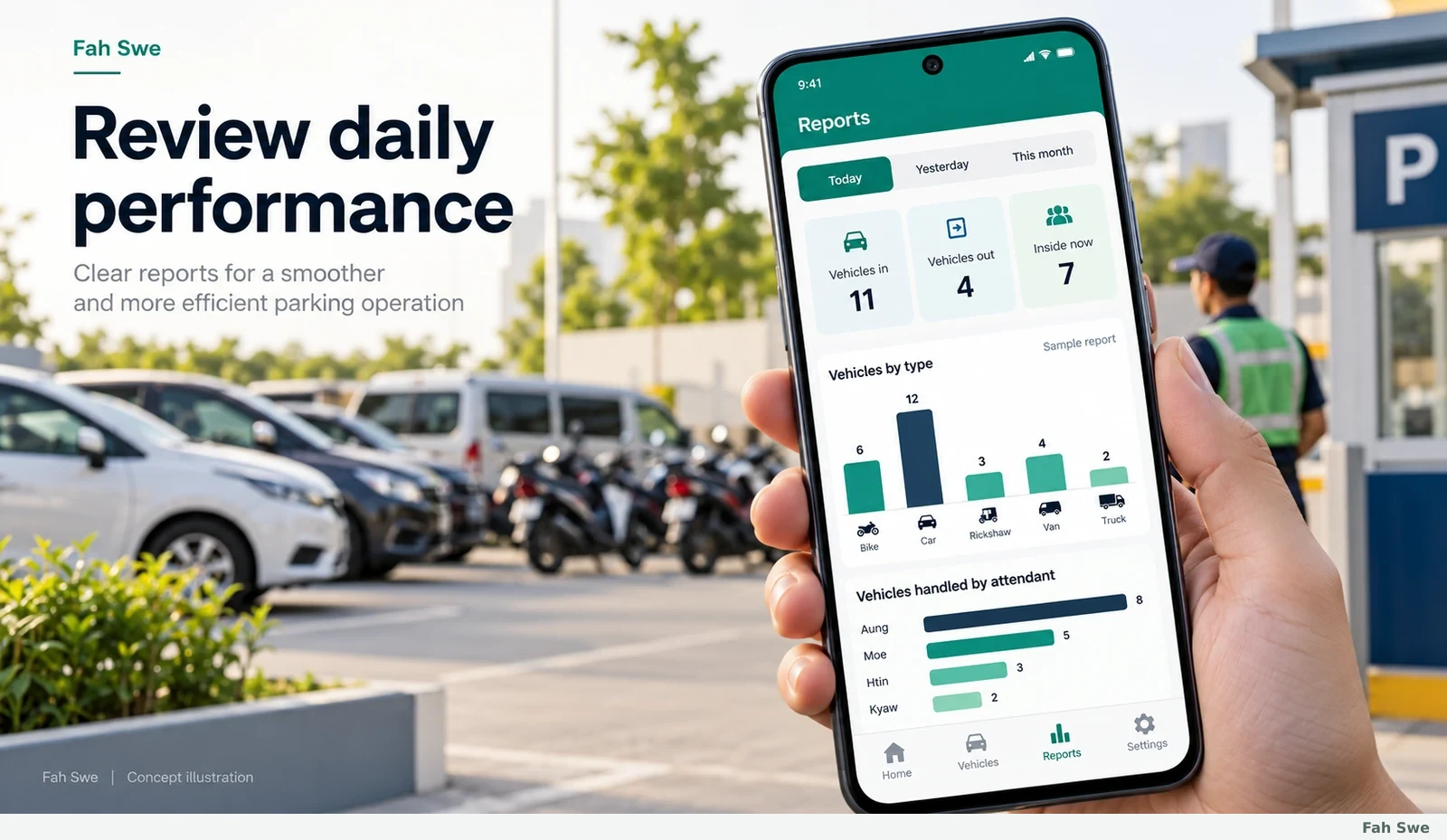
Daily reports and analytics

Fah Swe concept illustration: Daily reports and analytics. Sample interface, not a delivered-software screenshot.

The reports image follows the demonstrated Today, Yesterday and This month tabs. The video shows collected cash, vehicles in, vehicles out, inside now, a by-vehicle breakdown and an attendant section. Generated charts use sample data and are explanatory; they do not represent Fah Swe customer revenue or measured business results.

How to use this screen

  1. Choose the reporting period, review entry/exit counts and collection totals, then compare the vehicle and attendant breakdowns with the shift records. Investigate unmatched amounts before treating the report as a reconciled cash figure.
  2. Requirements: Correct device time and completed transaction records matter. Accounting exports, tax filing, advanced forecasting and consolidated multi-branch reporting are not verified by the video and are not automatically included.

Business benefit

Period summaries help owners review workload, understand recorded collection patterns and supervise daily operations.

13

Vehicle watchlist

Fah Swe concept illustration: Vehicle watchlist. Sample interface, not a delivered-software screenshot.

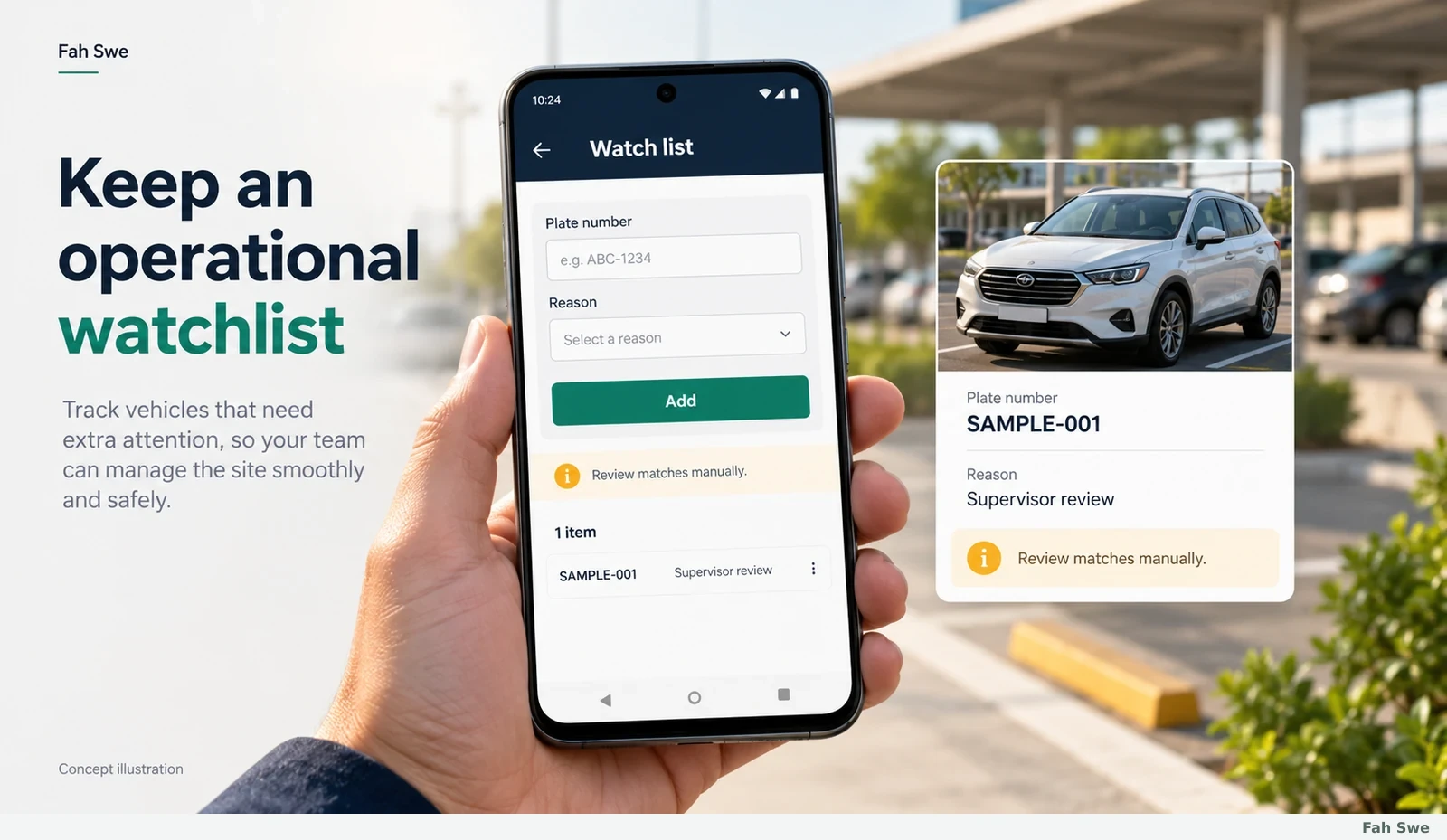
The watchlist illustration shows a plate and a short operational reason. In the demonstration, staff can enter a number and add a reason to a Watch list. This supports an internal reminder workflow; it is not a public criminal database, identity verification system or evidence that a vehicle owner has done anything wrong.

How to use this screen

  1. Add a verified plate only for a legitimate operational purpose and write a concise factual reason. Staff should compare a possible match with the actual vehicle and follow the supervisor’s procedure rather than relying solely on a similar number.
  2. Requirements: Agree who may add, review and remove entries and how long they should be retained. Automatic gate blocking or law-enforcement database access is not demonstrated or included by this description.

Business benefit

A documented internal reminder can help a shift handle exceptions consistently and avoid losing useful operational context.

14

Optional desktop management software

Fah Swe concept illustration: Optional desktop management software. Sample interface, not a delivered-software screenshot.

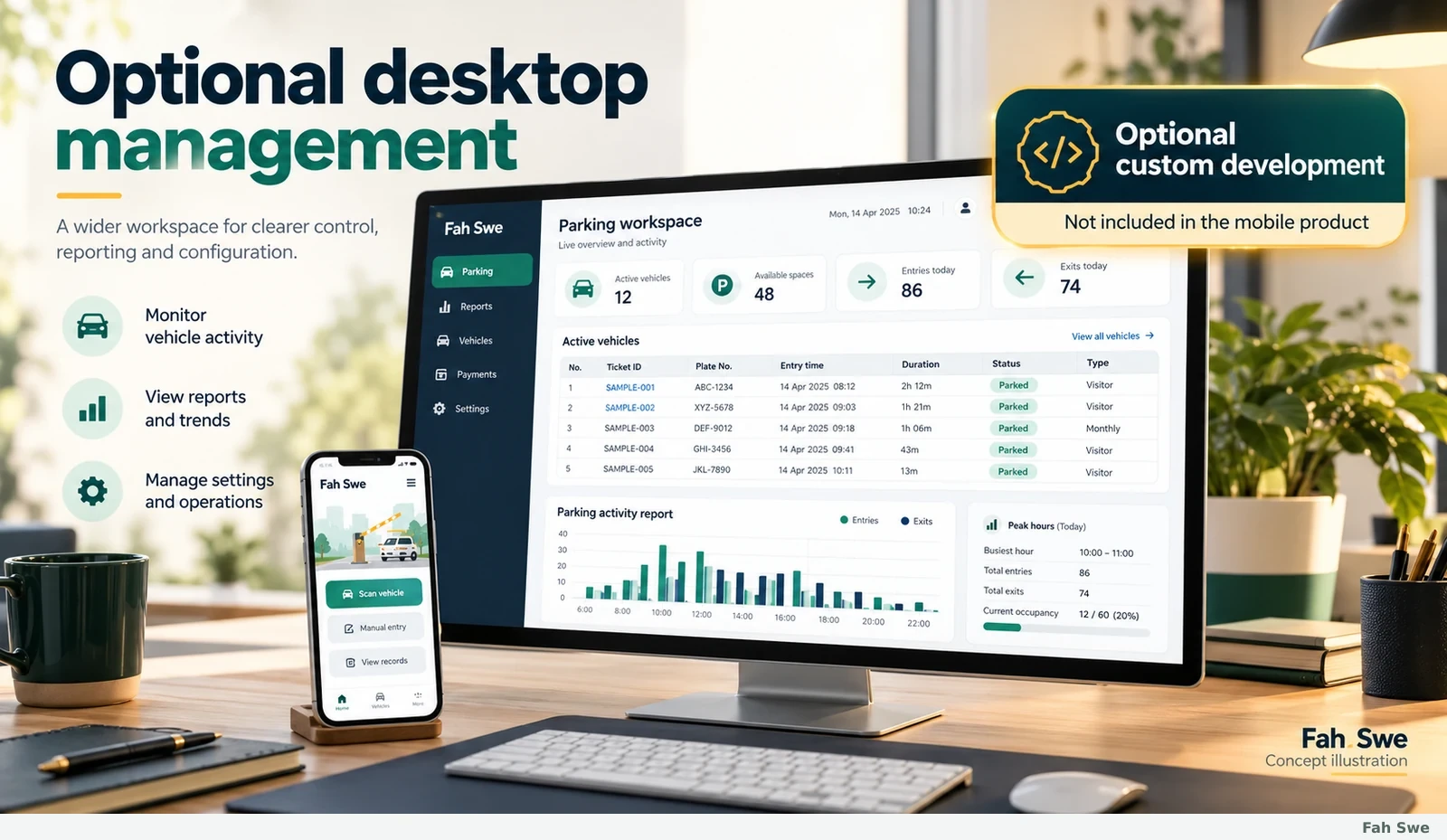
The desktop image is a planning illustration of how a separately ordered office workspace could display parking records and reports. The reference video demonstrates a mobile app; the laptop in its background is not evidence of an included parking desktop application. Fah Swe can discuss a custom computer solution for customers who need one.

How to use this screen

  1. Describe who will use the office screen, which records they need and whether the deployment should be a browser workspace or installed desktop application. Agree a separate quotation, scope and acceptance criteria before development.
  2. Requirements: Optional custom development; not included in the $300 mobile product. Platform, hosting, roles, deployment, backup and licensing requirements must be agreed separately.

Business benefit

A separately designed office view can suit management review and desk-based work without forcing gate staff to use a computer.

15

Optional mobile and desktop API integration

Fah Swe concept illustration: Optional mobile and desktop API integration. Sample interface, not a delivered-software screenshot.

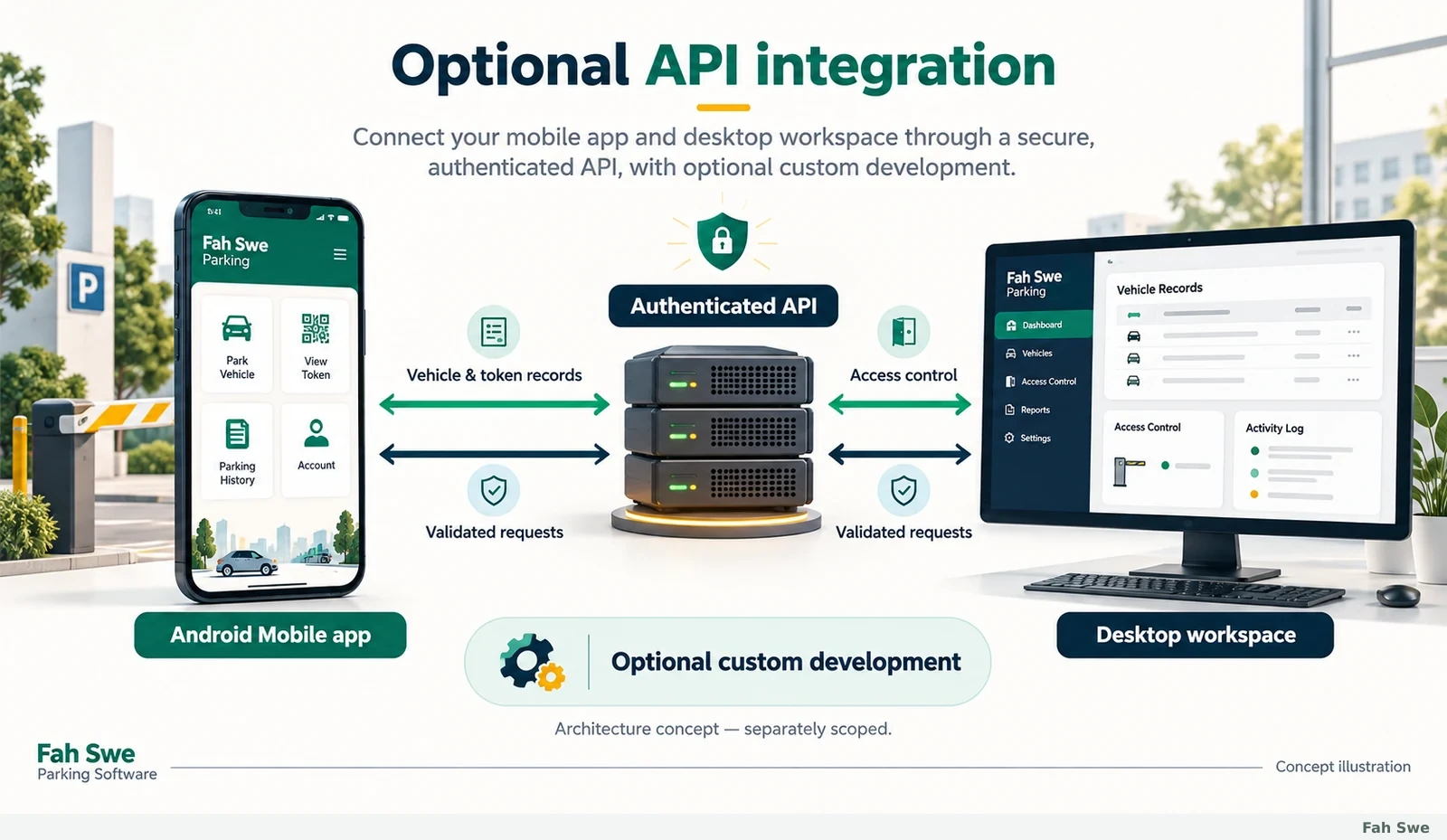
The API illustration shows a possible architecture linking a mobile workflow and an optional desktop workspace through an agreed backend. It explains a separately commissioned solution, not an integration already bundled with this product. There is no claim that the reference video proves real-time cloud synchronization.

How to use this screen

  1. Define shared vehicle/token identifiers, allowed data and user roles, then agree endpoints and synchronization behavior. The custom implementation should authenticate requests, validate ownership, prevent duplicate writes, handle connection failures and record relevant events. Test the agreed entry-to-exit flow across both clients before handover.
  2. Requirements: Optional custom quotation required. HTTPS, access controls, database design, hosting, availability, retention and offline conflict rules are implementation requirements to scope, not delivered guarantees. No existing API availability is promised.

Business benefit

An agreed API can let different staff interfaces use consistent records while defining clear responsibilities for the mobile app, server and office screen.

16

Complete parking management workflow

Fah Swe concept illustration: Complete parking management workflow. Sample interface, not a delivered-software screenshot.

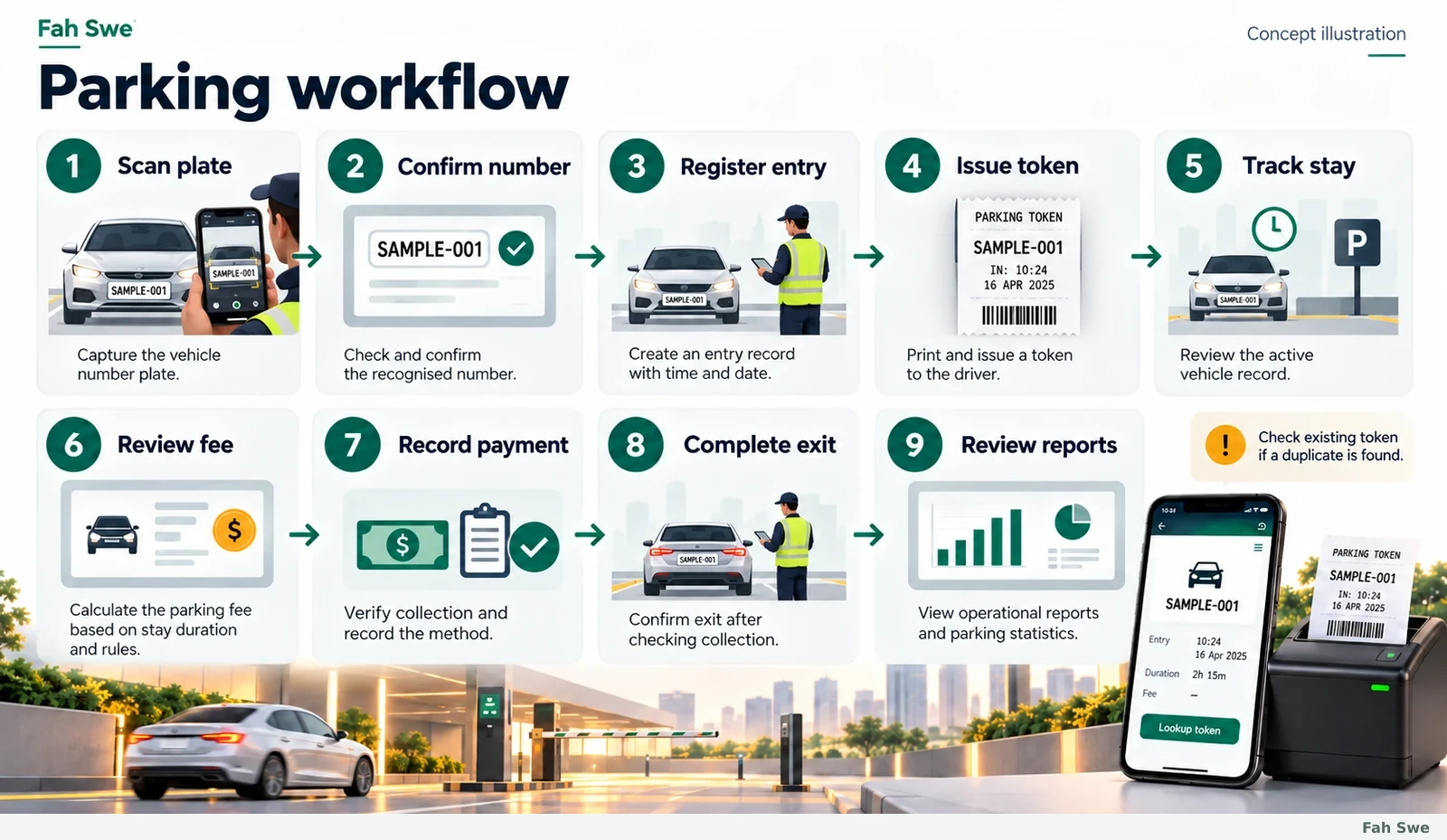
The final illustration summarizes the mobile workflow in order: capture the plate, confirm the number, register entry, issue the token, track the active stay, review the fee, record payment, complete exit and review reports. A duplicate warning sends staff back to the existing stay instead of creating another open token.

How to use this screen

  1. Use this sequence as a staff handover checklist. Agree responsibilities at entry and exit, run representative test vehicles, print sample tickets and reconcile a test shift before live operation. Keep exceptions such as lost tokens and cancellations in the training plan.
  2. Requirements: Order the mobile product through the existing Fah Swe order flow. The team confirms the site requirements and coordinates delivery in the existing client project workflow. Optional hardware, desktop development and API work need separate written scope.

Business benefit

A repeatable process helps staff apply the same checks, makes the records easier to explain and gives managers a practical acceptance checklist.

Technical & purchase information

Technical requirements

Supported Android device and camera permission; plate-format testing; agreed tariff and collection procedure; correctly set device time; a separately supplied compatible Bluetooth thermal printer and paper when printing is required. Confirm OS/device support, connectivity and printer compatibility before ordering. iOS, offline operation, cloud sync, automatic gate control and gateway settlement are not inferred from the demonstration.

Development scope & manual delivery

One mobile parking software order covering the documented entry, token, exit, collection, reports and watchlist workflow. Payment approval uses the existing In Progress project and manual handover process. The team confirms the build, configuration, acceptance checks and delivery schedule. Desktop software, API integrations, hardware and third-party services are optional and separately quoted. Generated illustrations explain scope and are not delivered-software screenshots.

Support & updates

Six months of included support under the existing Fah Swe support policy. Confirm the actual start and expiry in Dashboard → Support Plans. Coverage concerns the agreed delivered scope, bug-report review and reproducible errors. When included and paid coverage expire, renew a support plan to continue technical support. New features, redesign, hardware, hosting and third-party fees are separate unless agreed.

Questions before you buy

How much does the mobile product cost?

The approved worldwide base price is $300 USD, paid once through the existing Fah Swe product order flow. The portal can display your selected currency. Optional custom desktop/API work and equipment are separate.

Are the images real software screenshots?

No. They are original, clearly labelled concept illustrations explaining operations reviewed in the supplied demonstration. Sample amounts and interfaces are not live customer records. The final build and configuration are confirmed with the team.

Are desktop software and APIs included?

No. They are optional custom development with separate requirements, quotation, security design and acceptance tests. The $300 offer is the documented mobile product order.

Will any Bluetooth printer work?

Compatibility must be checked for the exact printer model, protocol, paper size and phone. The demonstration proves one printing workflow, not universal printer support. Hardware is separate unless expressly agreed.

Does plate scanning always recognize Bangla plates?

No universal recognition guarantee is made. Test the site’s plate formats, lighting and supported scripts. The demonstrated workflow includes manual comparison, correction and retaking unclear images.

How are ordering, delivery and support handled?

Order through the existing product flow. After payment verification, follow the In Progress project for coordinated setup, review and manual handover. Six months of included support follows the existing policy; check the account’s exact dates and renew after expiry.