Skip to content
Video Live Stream with Voice — software product preview

Rent · Instance

Video Live Stream with Voice

Live video + voice streaming rental — operate, not download.

No source / ZIPMonthly rentExtra features 40% off

Monthly rent

$1000.00 USD / mo

You have to pay this admin amount every month. Extra features are your own development price — Fah Swe builds them when you pay, always 40% off. No source or ZIP.

Rent means rent

You pay to use a live instance. This is not a source-code sale.

What you get

  • Video live + voice streaming ops
  • Order → pay → admin confirm
  • Payment proof for bKash/bank
  • Coin sales recorded by admin
  • No downloadable source files

Rent a Video Live Stream with Voice instance. Order through the shop, pay the setup fee (local gateways need TrxID + screenshot), then wait for admin approval. Separate from digital product downloads.

Rent terms

Fah Swe rent rules

Read before you apply

Same rules for every rent application. Monthly admin amount, extra features at 40% off after you pay, no source, KYC, and a signed contract are below.

  1. 1. What rent means

    • Rent is rent. You pay Fah Swe every month to use Video Live Stream with Voice. Payment continues for as long as you use the app (lifetime of the rental).
    • Fah Swe can rent any kind of app: ready-made catalog apps, or a new development app built for you to rent.
    • You receive a live branded instance to use — not ownership of the product.
  2. 2. No source code, ZIP, or files

    • Rent does not include source code, ZIP download, repositories, or handover of files.
    • If you want source code, use Digital Products (buy once) or Loan (installments, source after completion) — those are different programs.
  3. 3. Monthly fee (admin amount)

    • Example: you have to pay USD 1000.00 per month. That is the admin amount listed on this rent (Fah Swe can adjust it after review).
    • New development rent also shows the listed new-development extra charge (one-time extra for building the custom app), then the monthly rent.
    • The amount on your order / invoice is the amount you pay each month while the rental is active.
  4. 4. Extra features — your price, 40% off

    • The rent includes the catalog / agreed scope only. If you need any extra feature, that is your own development price (you propose it in a Feature Order).
    • Fah Swe can develop that extra feature when you pay. Extra work is not included in monthly rent.
    • Extra feature development always has a 40% discount. You pay 60% of the quoted development price. This discount applies for the life of the rental.
  5. 5. Apply, review, KYC, contract

    • Choose existing ready-made rent apps or new development. Agree to these rules, then apply.
    • Admin reviews in Rent Orders. Scope can go through correction. When correction is locked, you must complete KYC (identity, NID/ID photos, face, signature).
    • Fah Swe then creates a contract with your KYC details and these rent rules. You sign it in the client dashboard only. After signed KYC + contract, the rent project starts.
  6. 6. Agreement

    • By applying you agree: rent is monthly for life of use at the admin amount, no source/ZIP, extra features are a separate development price with a standing 40% discount after you pay, KYC and a signed contract are required before the project starts.
    • These rules apply to every Fah Swe rent — ready-made, new development, and already-live rentals.

Inside the product

Cat Stream

Cat Stream is our professional video live-streaming demo — Hot/Mine feeds, multi-region BD targeting, Explore & Activity hubs, host tools, wallet & earnings, levels, VIP, invite rewards, and chat. Screenshots below match the live app; open Demo Apps for the full experience.

22product screenshots

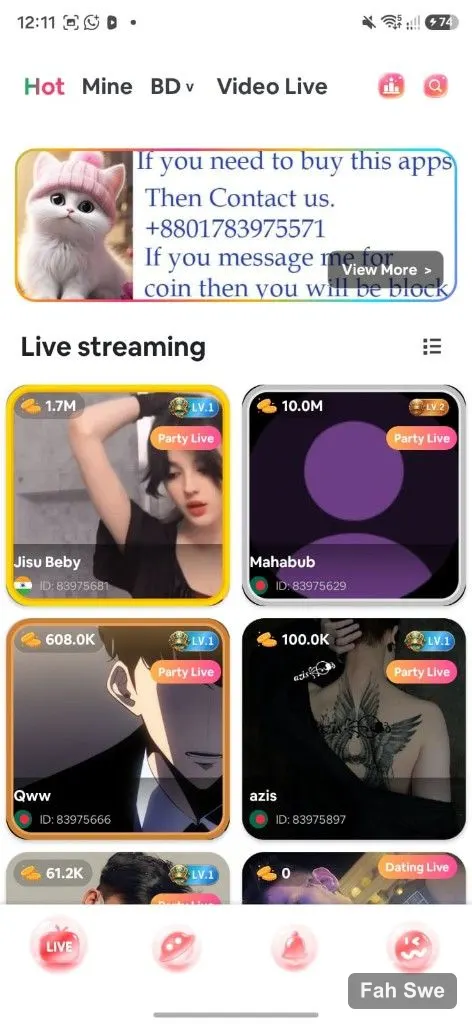
Cat Stream Hot tab live streaming grid with room cardsView full image

01 / Product screen

Hot live streaming grid

Discovery home on the Hot tab: two-column live room cards with earning coins, LV badges, Party Live tags, host names, country flags, and streamer IDs — built for global live audiences.

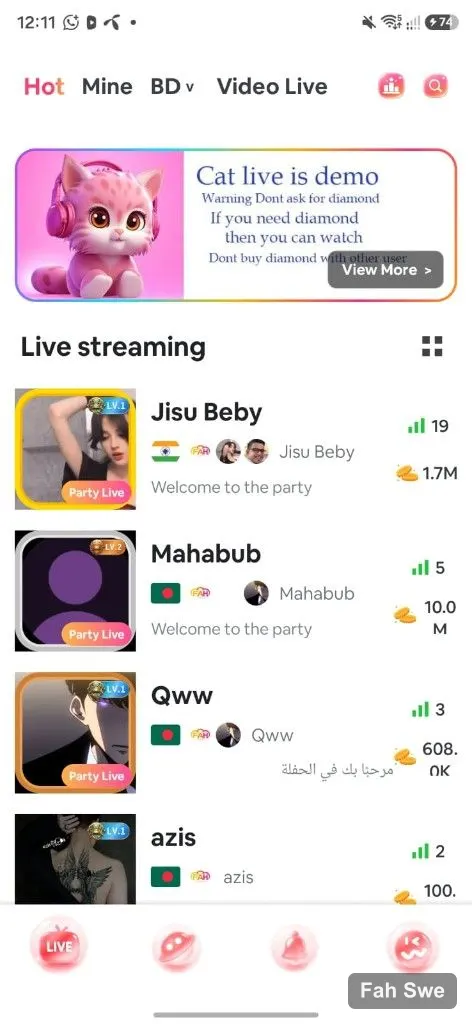
Cat Stream Party Live list with viewer and coin statsView full image

02 / Product screen

Party live list feed

List layout of Party Live rooms with signal/viewer bars, coin totals, country flags, and welcome messages — easy scrolling for hosts browsing who is live.

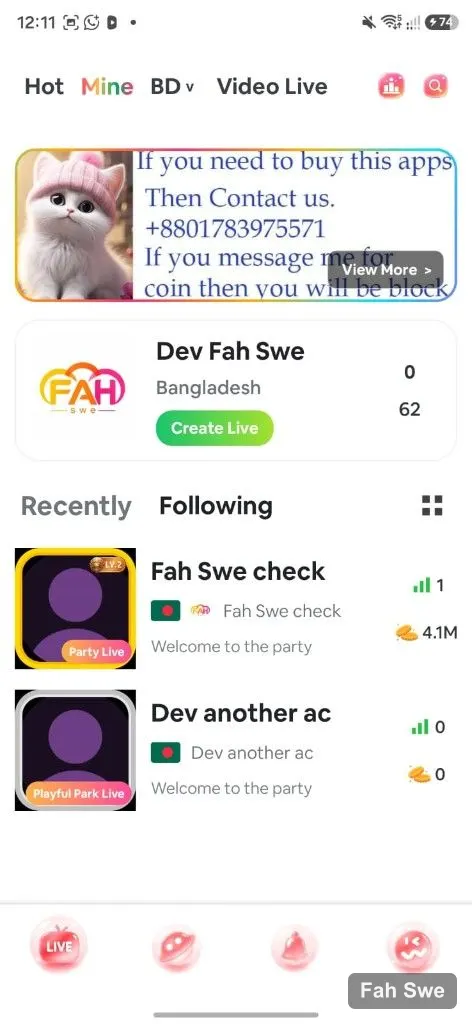
Cat Stream Mine tab with Create Live and following roomsView full image

03 / Product screen

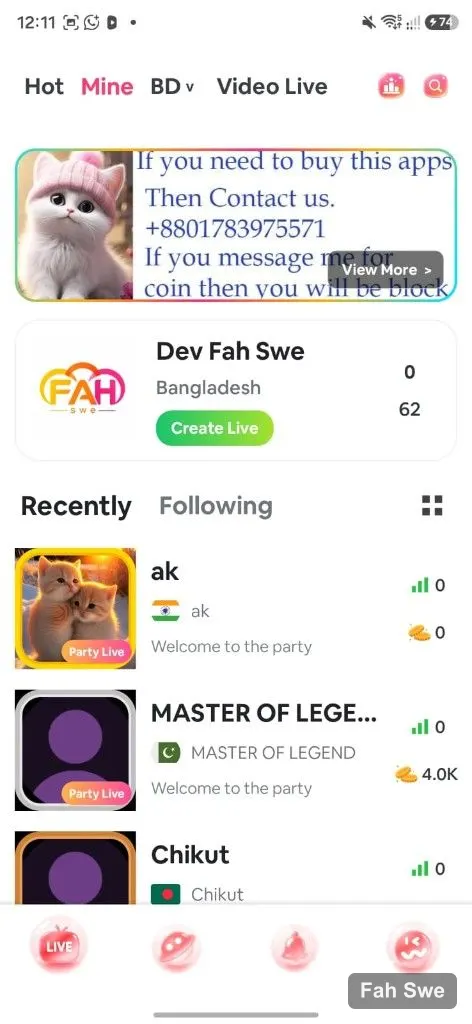
Mine — Create Live

Host dashboard on Mine: profile card, location, stats, and a primary Create Live CTA. Recently Following shows party rooms you care about.

Cat Stream Mine following list with party roomsView full image

04 / Product screen

Following & recent rooms

Track followed hosts with Party Live / Playful Park tags, levels, viewers, and coin counters — stay close to your community.

Cat Stream BD region Party Live room listView full image

05 / Product screen

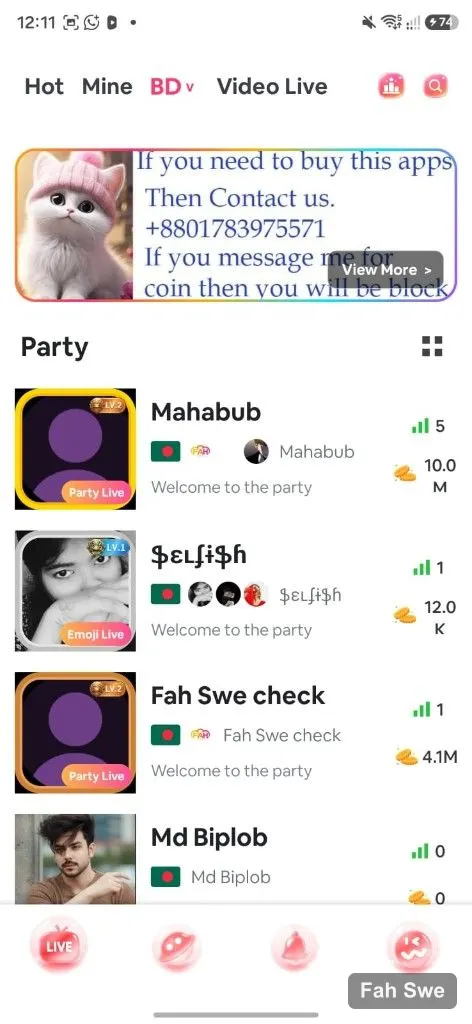
BD region party marketplace

Bangladesh region feed with Party Live rooms, levels, and coin totals — agency-ready local discovery for BD hosts and viewers.

Cat Stream region picker with Bangladesh and Asia countriesView full image

06 / Product screen

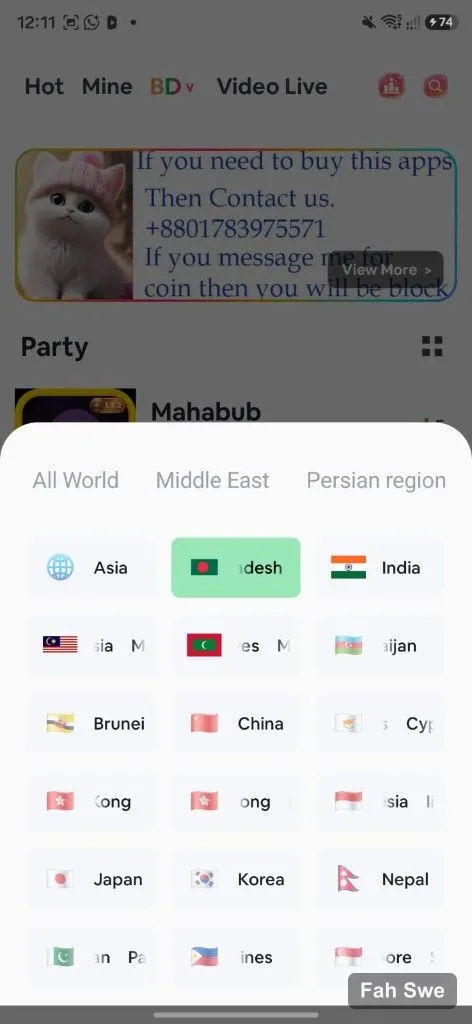
Region & world targeting

Pick All World, Middle East, and countries (Bangladesh, India, Indonesia, Pakistan, …). Region picker powers localized marketplaces for agencies and hosts.

Cat Stream Video Live empty Not Found stateView full image

07 / Product screen

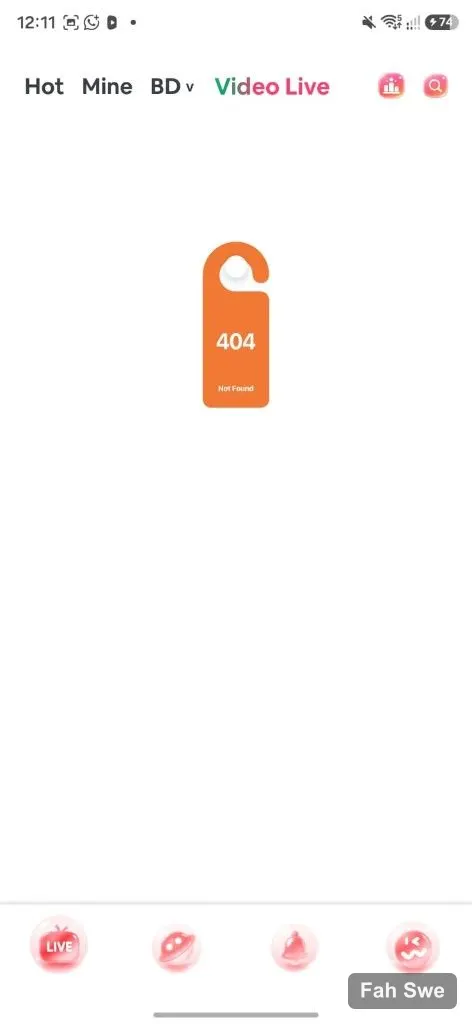
Video Live empty states

Video Live tab with a friendly empty / 404-style state when no streamers are online — polished edge cases included.

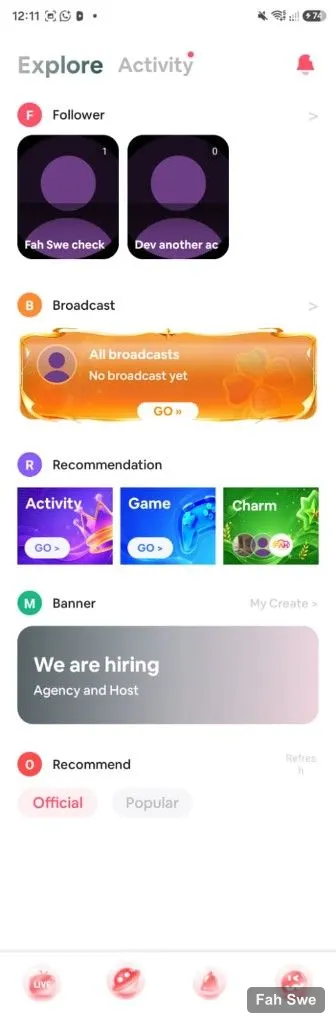
Cat Stream Explore with Follower Broadcast Recommendation BannerView full image

08 / Product screen

Explore — follower & broadcast

Follower tiles, All Broadcasts empty states with GO CTA, Recommendation (Activity / Game / Charm), and hiring banners — modular discovery hub.

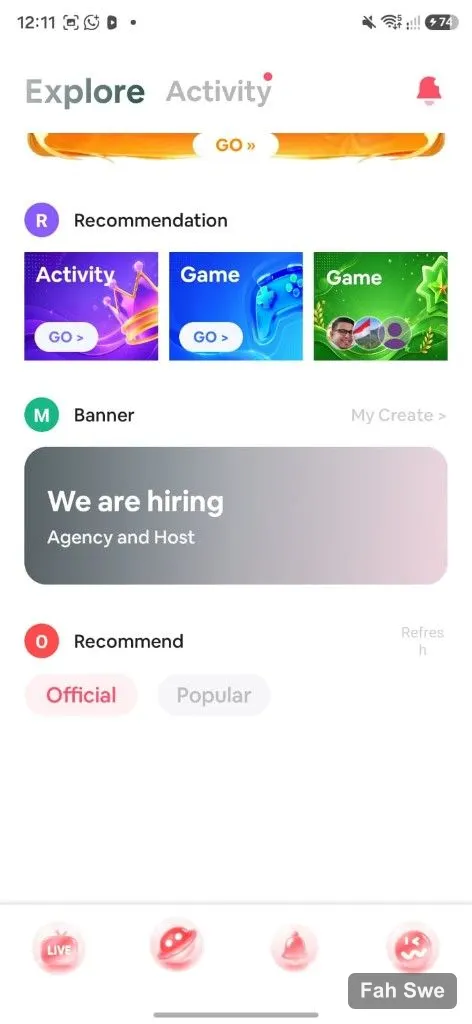
Cat Stream Explore Recommendation and hiring bannerView full image

09 / Product screen

Explore recommendation hub

Explore / Activity with Recommendation tiles, Agency & Host hiring banner, Official/Popular filters — clean information architecture for growth.

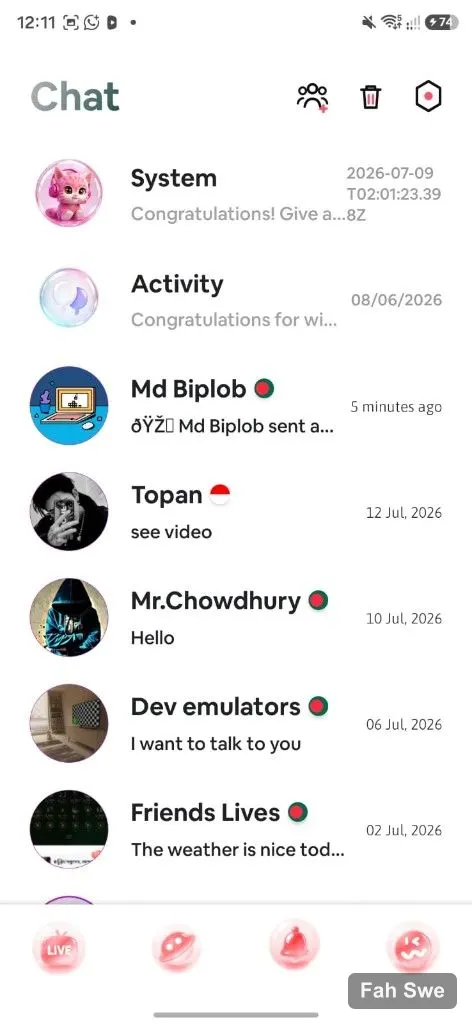
Cat Stream Chat inbox conversation listView full image

10 / Product screen

Chat & messaging

Inbox with conversations, timestamps, and contact threads — private messaging beside public live rooms.

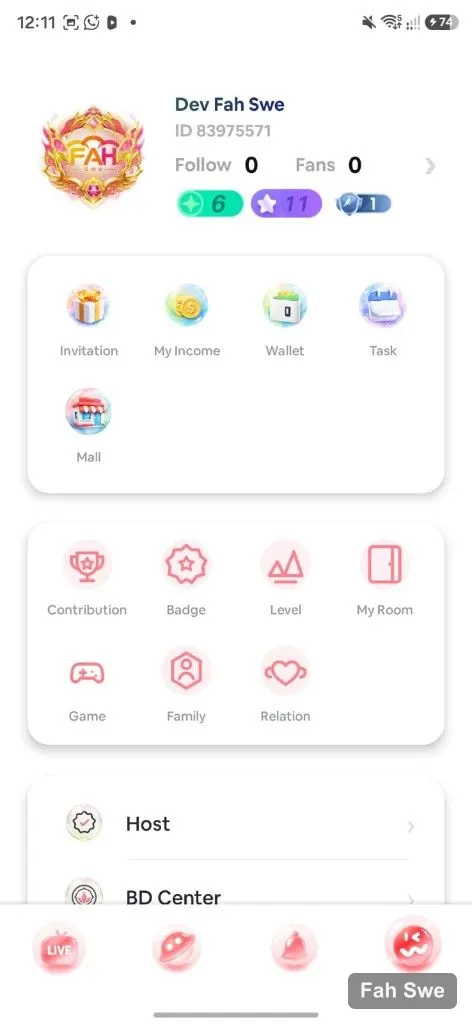
Cat Stream profile hub with shortcut iconsView full image

11 / Product screen

Profile & quick actions

Profile hub with invitation, income, wallet, task, mall, contribution, badge, level, room, game, family, and relation shortcuts.

Cat Stream profile side menu Host BD Center VIPView full image

12 / Product screen

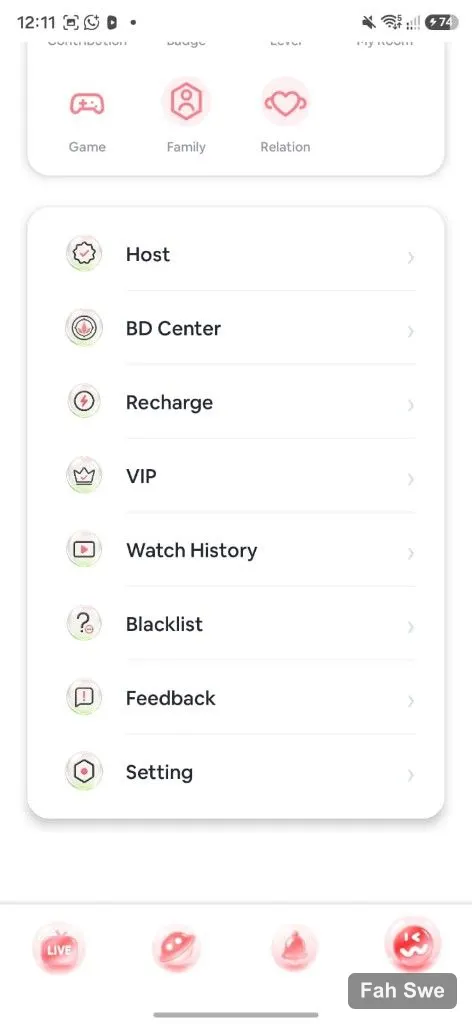
Host, BD Center & VIP menu

Settings-style list: Host tools, BD Center for agents, Recharge, VIP, watch history, blacklist, feedback, and settings — production operator flows.

Cat Stream Invite Friends Earn Rewards with invitation codeView full image

13 / Product screen

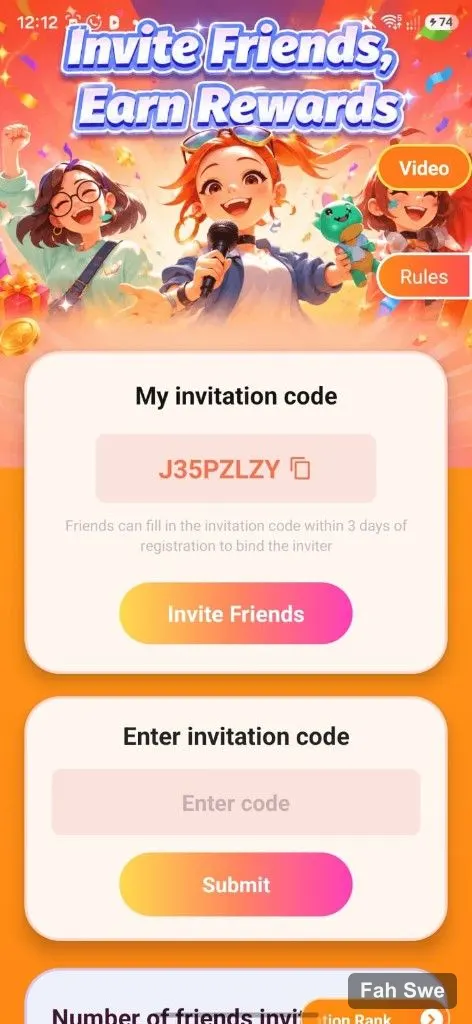
Invite friends, earn rewards

Referral hub with invitation code, copy, invite CTA, enter-code binding within 3 days, and invitation ranking — growth loops for viral installs.

Cat Stream My Level Wealth progress and badge rewardsView full image

14 / Product screen

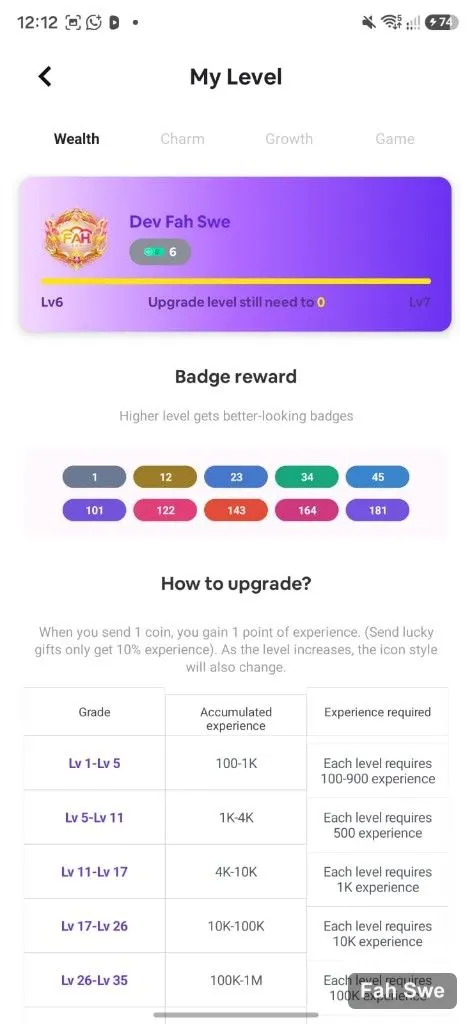
Wealth levels & badge rewards

My Level across Wealth / Charm / Growth / Game. XP from sending coins, badge tiers, and grade threshold tables — deep gamification.

Cat Stream Wallet Remaining Diamonds and recharge packsView full image

15 / Product screen

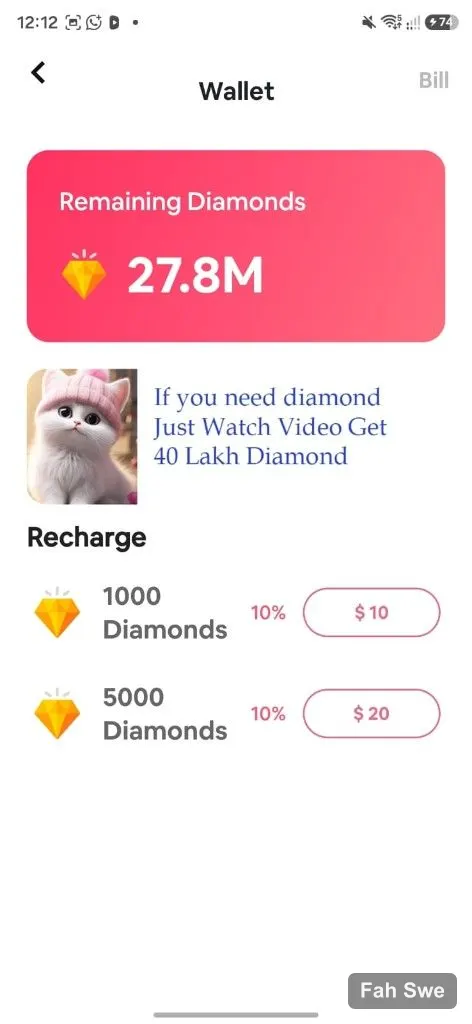
Diamond wallet & recharge

Remaining Diamonds balance, watch-to-earn promos, and recharge packs with bonus badges — monetization ready for Demo Apps.

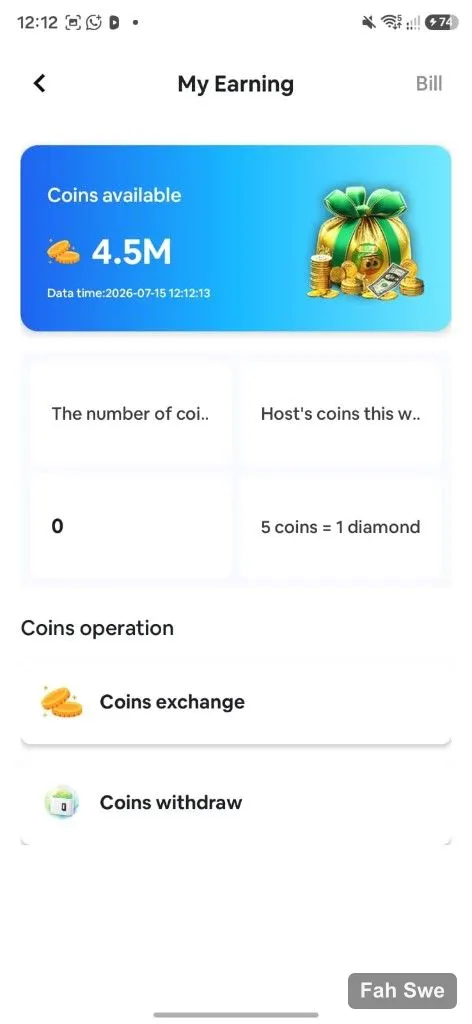
Cat Stream My Earning coins exchange and withdrawView full image

16 / Product screen

Host earnings & withdraw

My Earning dashboard: coins available, weekly host stats, coins↔diamond rate, Coins exchange and Coins withdraw for creator payouts.

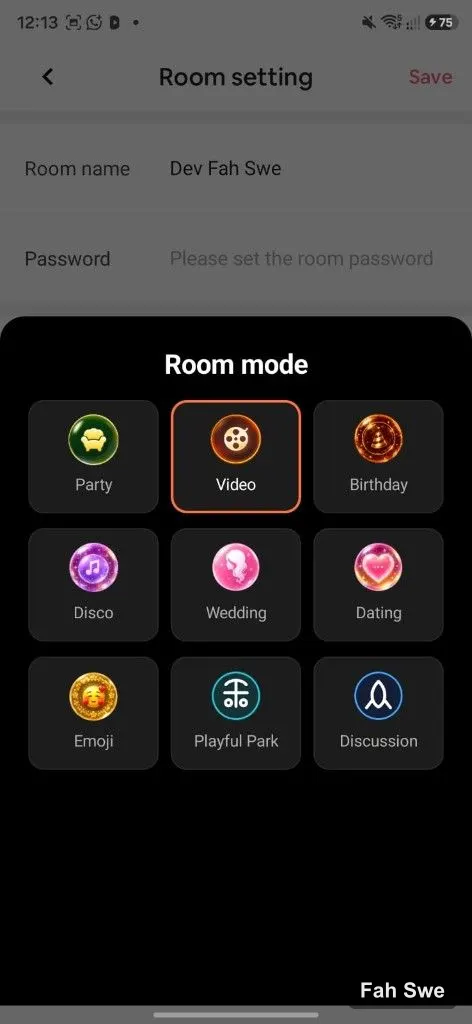
Cat Stream Room mode picker Party Video Dating EmojiView full image

17 / Product screen

Room mode picker

Choose Party, Video, Birthday, Disco, Wedding, Dating, Emoji, Playful Park, or Discussion room modes from Room settings — multi-format live social.

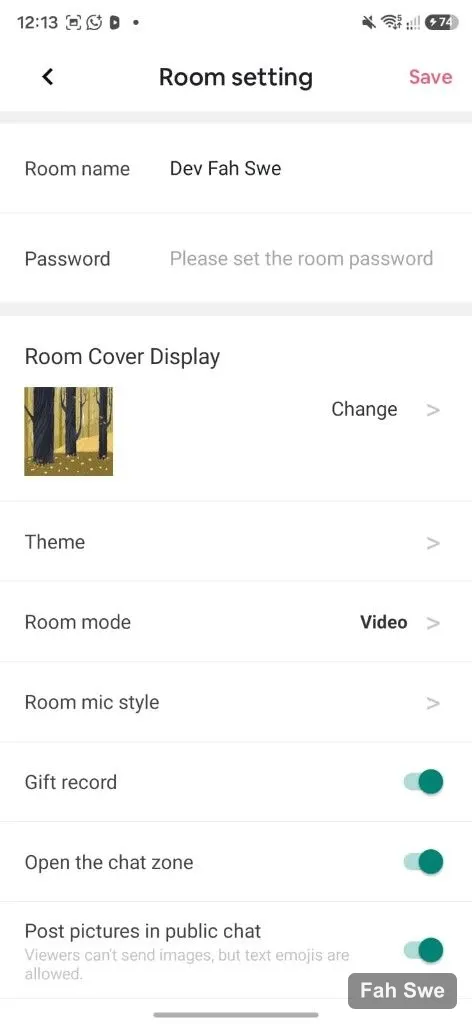
Cat Stream Room setting name password cover and togglesView full image

18 / Product screen

Room settings controls

Edit room name, password, cover, theme, room mode, mic style, gift record, chat zone, and public picture posting — full host room control.

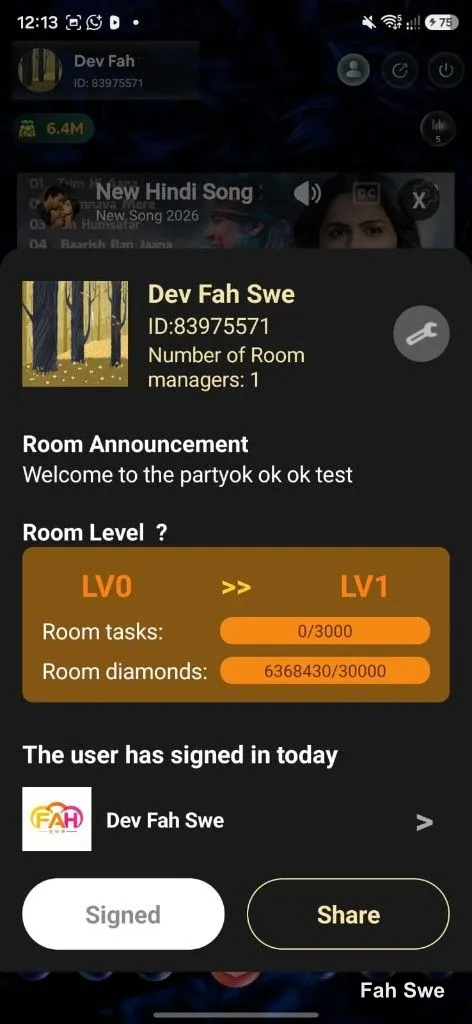
Cat Stream room level progress tasks and diamondsView full image

19 / Product screen

Room level & announcement

Room info card with announcement, room managers count, LV0→LV1 progress, room tasks, and room diamonds — keep hosts engaged in room growth.

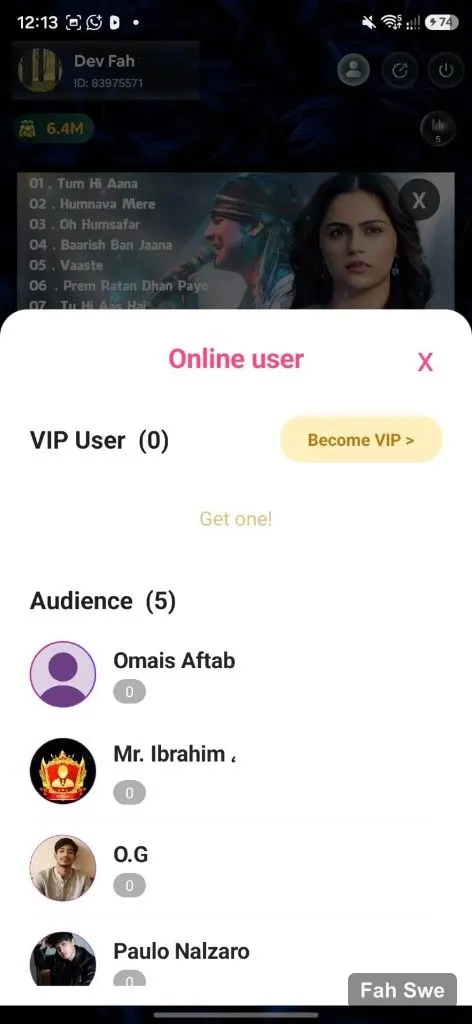
Cat Stream Online user VIP and Audience listView full image

20 / Product screen

Online users & VIP audience

Online user panel with VIP User CTA, Become VIP, and Audience list — social proof inside every live room.

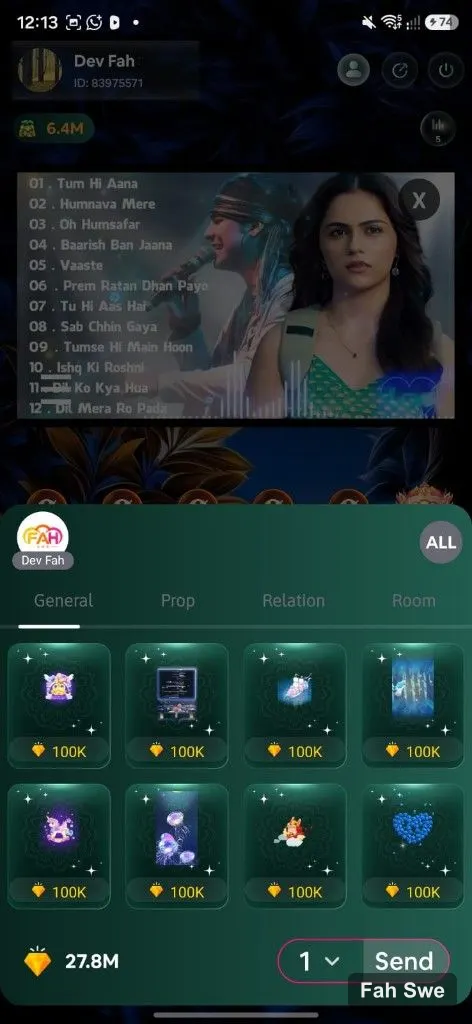
Cat Stream gift prop send panel with diamond pricesView full image

21 / Product screen

Gifts, props & send panel

In-room gift shop with General / Prop / Relation / Room tabs, diamond pricing, balance, quantity, and Send — core monetization UX.

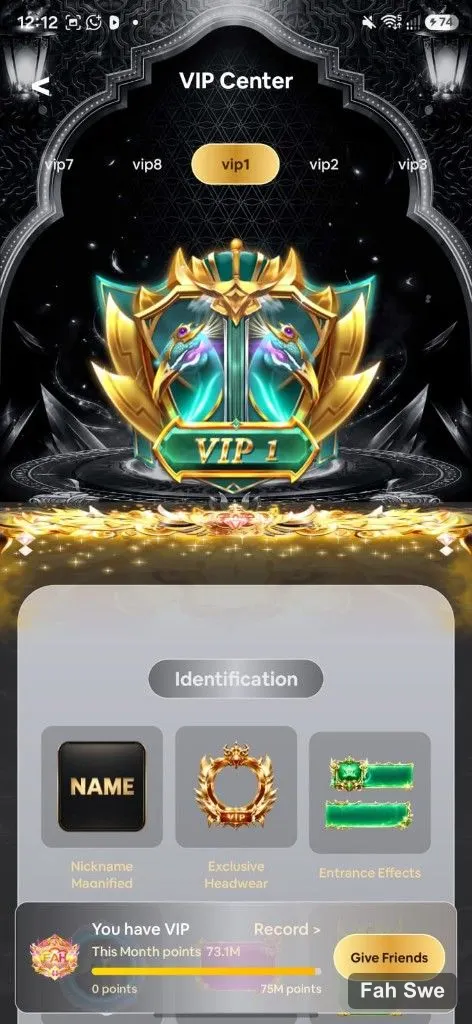
Cat Stream VIP Center nickname headwear entrance effectsView full image

22 / Product screen

VIP Center benefits

VIP Center with level tabs, exclusive headwear, entrance effects, monthly points, and Give Friends — premium ARPU features.

What is Cat Stream?

Cat Stream is Fah Swe’s video live-streaming product demo (loan or turnkey). Think global live social: hosts go live, viewers gift diamonds, agencies manage BD regions, and creators withdraw earnings. Clear tabs, labeled modules, and conversion CTAs.

Live discovery & hosting

Hot surfaces the biggest rooms; Mine is your host cockpit with Create Live; BD/region filters localize the marketplace; Video Live focuses pure video rooms. Cards expose social proof (viewers, coins, levels).

Wallet, earnings & growth

Viewers recharge diamonds; hosts convert coins; invite codes grow the network; VIP and Mall deepen ARPU. Levels (Wealth/Charm/Growth/Game) keep engagement loops running.

Why visit Demo Apps?

A webpage cannot show every animation, gift effect, game, agency report, or live room mode. Use Demo Apps + Demo Admin to click through PK battles, gift panels, agency consoles, and payment sandboxes.

Video Live Stream with Voice

Complete included feature list

  • Hot / Mine / Video Live / region (BD) discovery architecture
  • Grid and list live cards with coins, LV, tags, flags, IDs
  • Create Live host CTA and Recently Following
  • Multi-region country picker (All World, Middle East, Asia…)
  • Explore modules: Recommendation, Banner, Follower, Broadcast, Charm
  • Agency & Host hiring banners (admin-editable creatives)
  • Profile hub: Invitation, Income, Wallet, Task, Mall
  • Host tools + BD Center + VIP + Watch History + Blacklist
  • Private Chat with conversation threads
  • Diamond wallet, recharge packs, watch-to-earn promos
  • Host earnings: exchange rate, withdraw pipeline
  • Wealth / Charm / Growth / Game leveling + badge rewards
  • Invite Friends referral codes and ranking
  • Party / Video / Dating / Emoji / Playful Park room modes
  • Room settings, level progress, online audience & VIP
  • In-room gift Send panel with diamond pricing
  • Glassmorphic LIVE · Explore · Alerts · Profile navigation
  • Demo Apps + Demo Admin for full QA — not every screen fits one page